G-Scope Desktop · v2.6.3
Explore USB and Wi-Fi microscope features and compatibility
Connect a USB UVC or supported Wi-Fi microscope, including Dino-Lite/WF20 and other supported protocol families. Capture, calibrate, measure, annotate and organize images on desktop or Android.
- Free to download and use
- No accounts or cloud
- Windows · macOS · Linux · Android
See it in action
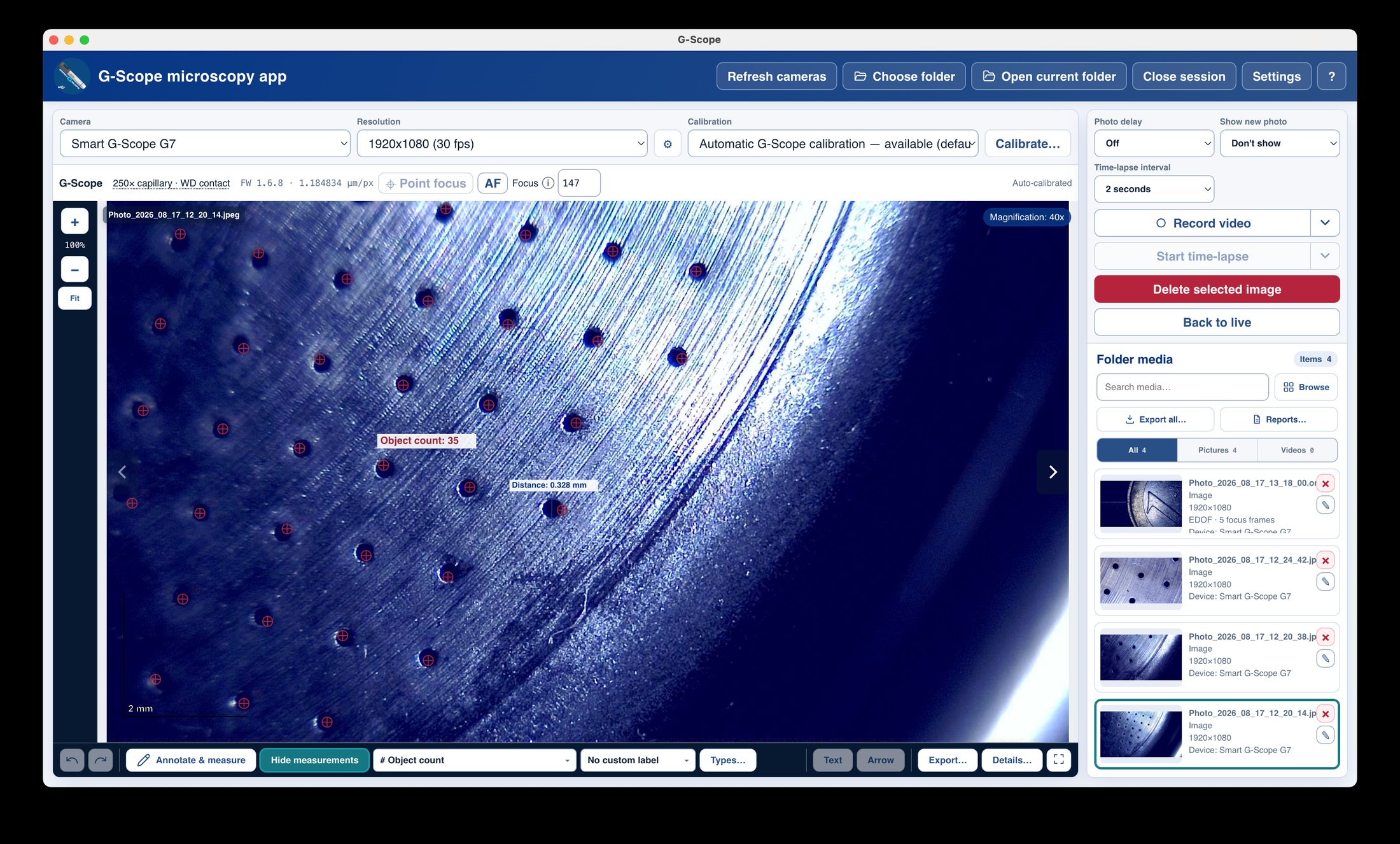
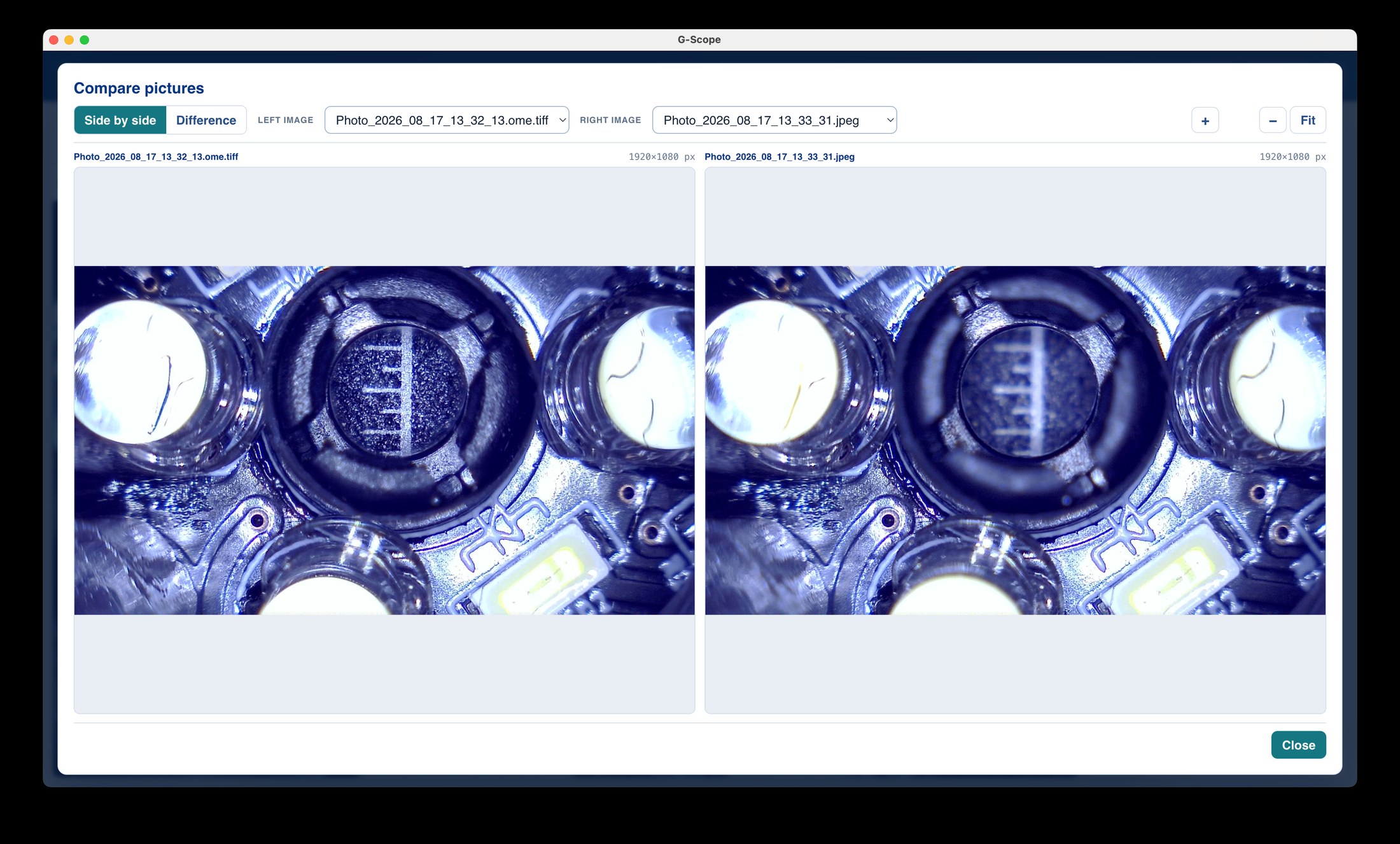
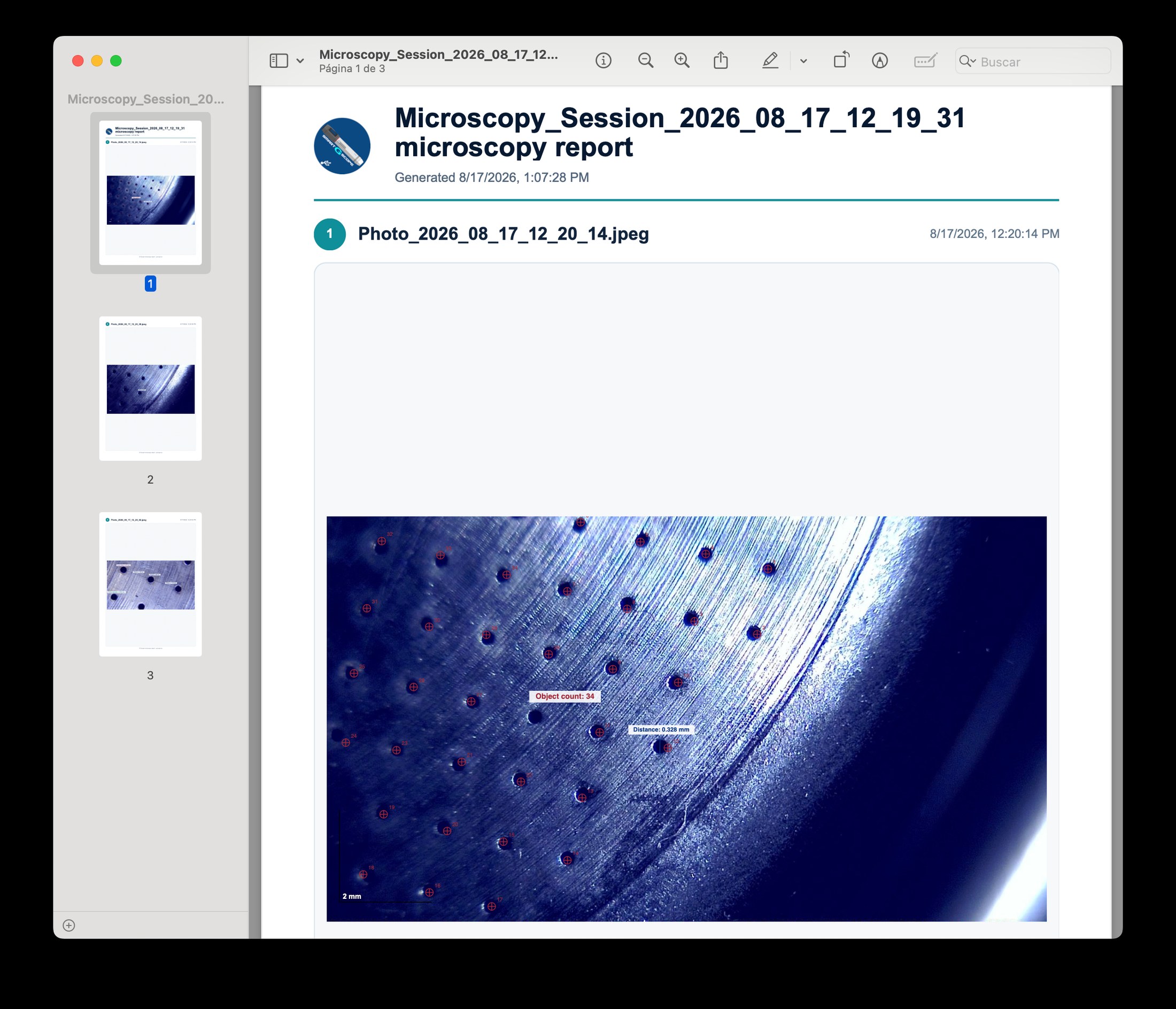
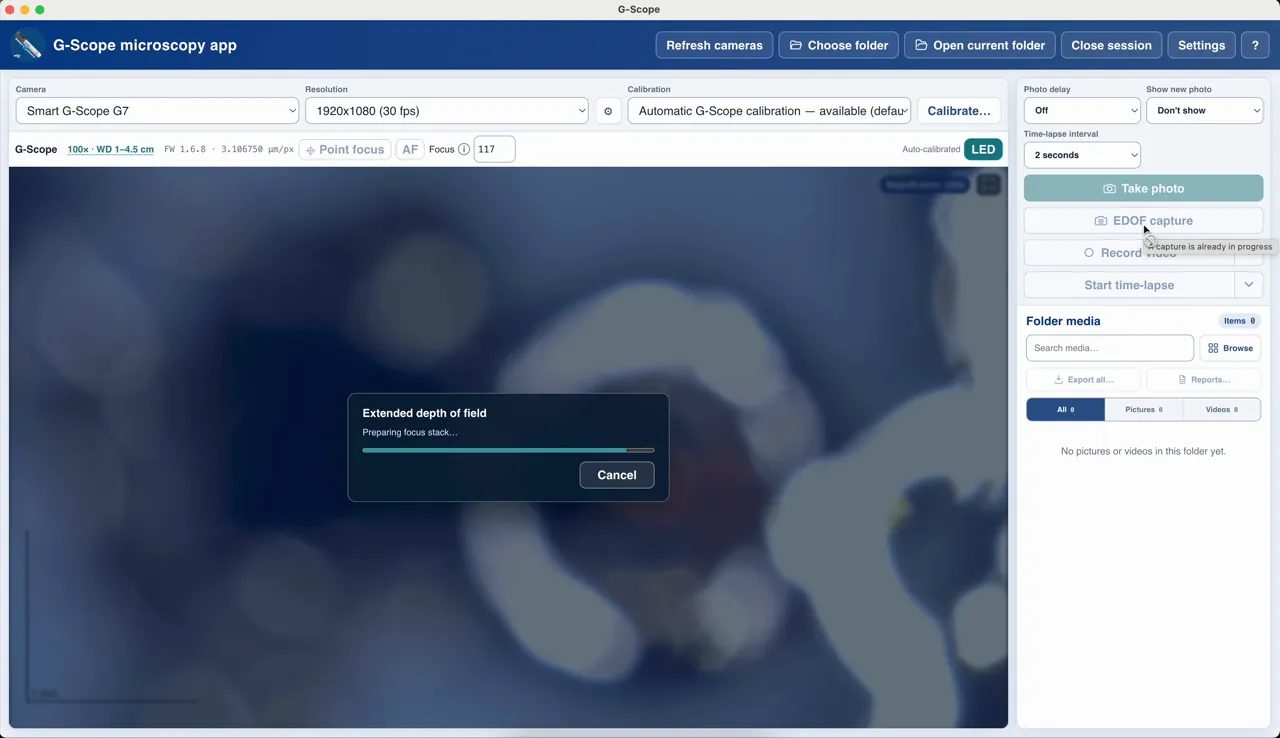
Sample screenshots from G-Scope Desktop.
Features
From capture to calibrated reports in one application
Measurements
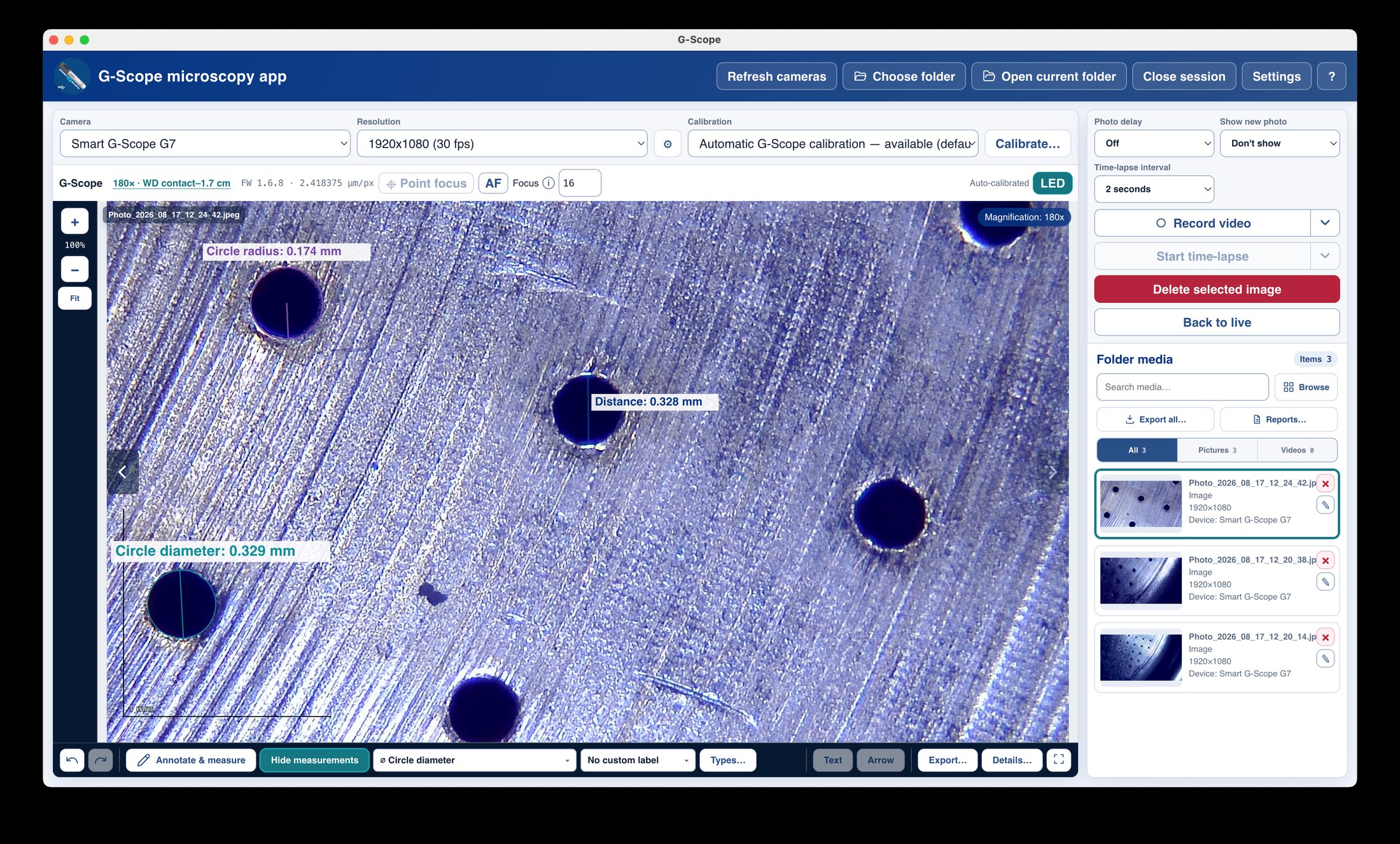
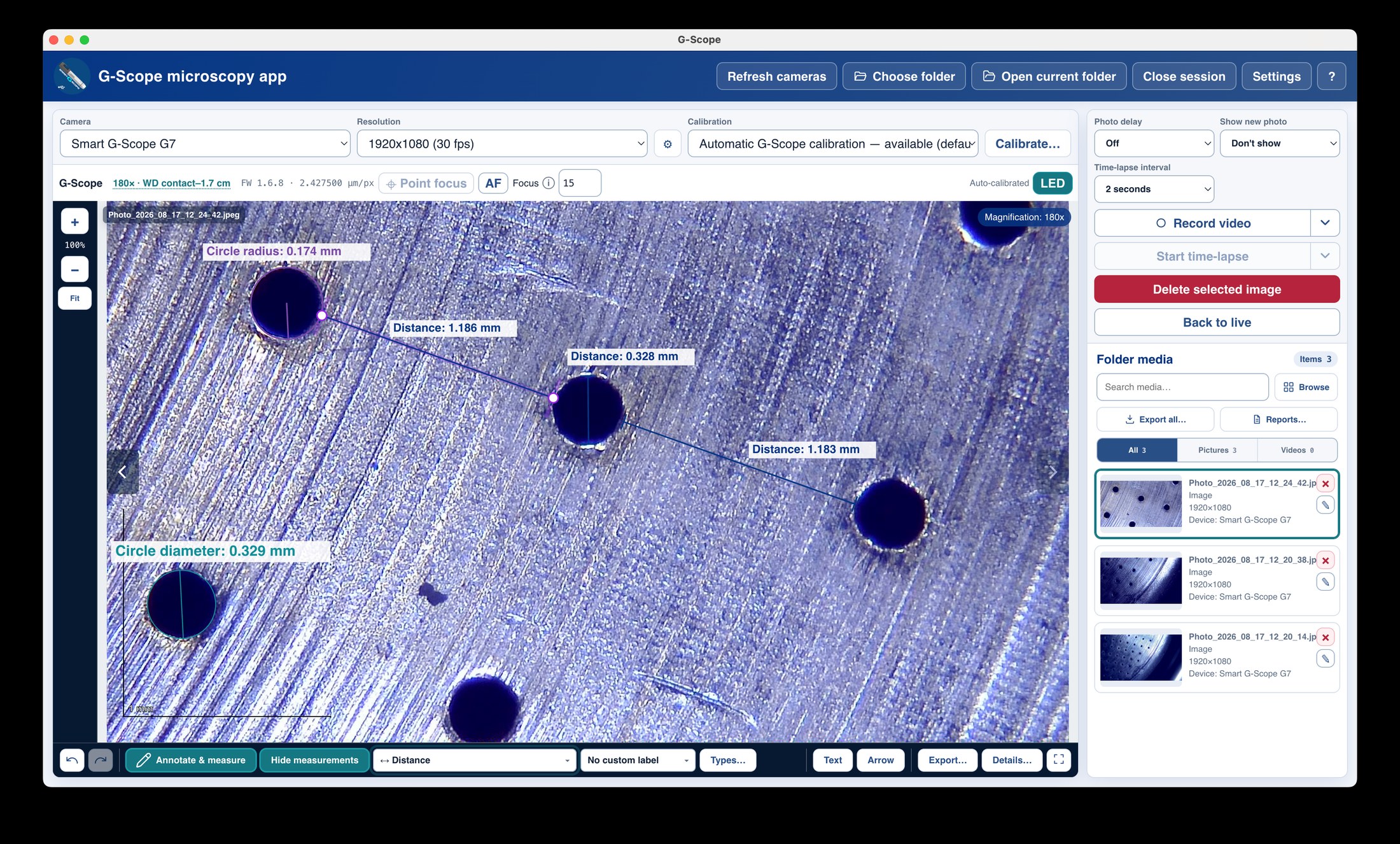
Measure distances, angles, areas and counts directly on calibrated microscope images with G-Scope Desktop, then export the values together with the picture.
Open featureCalibration
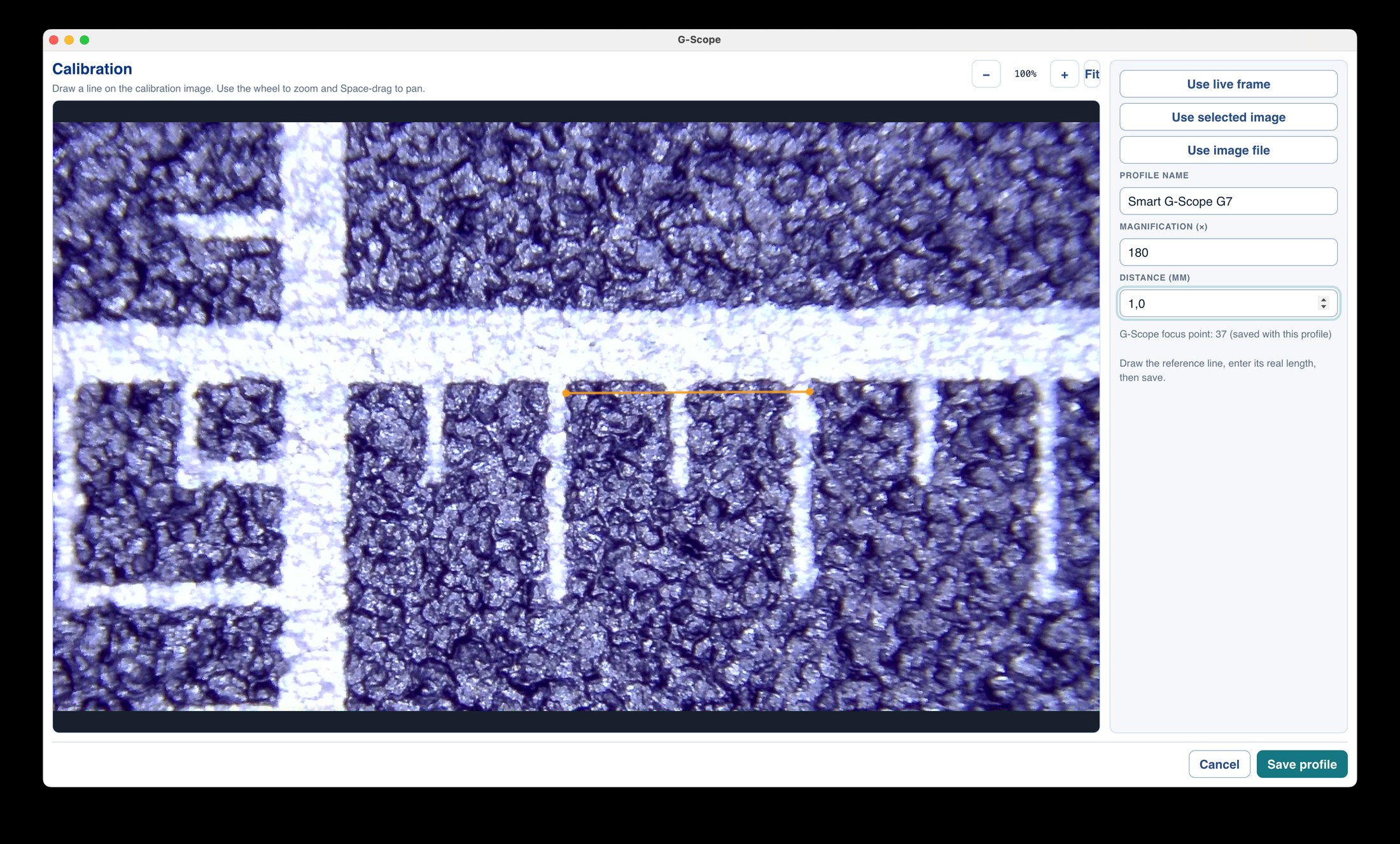
Calibrate any camera against a known distance and get real-unit measurements, physical scale bars and OME-TIFF pixel sizes, with named profiles per device.
Open featureFlat-field correction
Correct fixed vignetting, uneven illumination, colour gradients, dust shadows and camera offset with reusable, inspectable flat-field profiles.
Open featureObject counting
Count objects on a microscope image with the object-count tool, combine counts with calibrated area measurements, and export the results.
Open featurePDF reports
Export a whole microscopy session as a multi-picture PDF report with a title page, capture metadata, measurements and annotations, generated locally.
Open featurePowerPoint reports
Export a microscopy session as a native PowerPoint file where every picture, measurement and annotation stays an editable object.
Open featureEDOF capture
Extended depth of field for Smart G-Scope: capture a calibrated focus stack and fuse it into one sharp image, with the original layers archived in OME-TIFF.
Open featureClick to focus
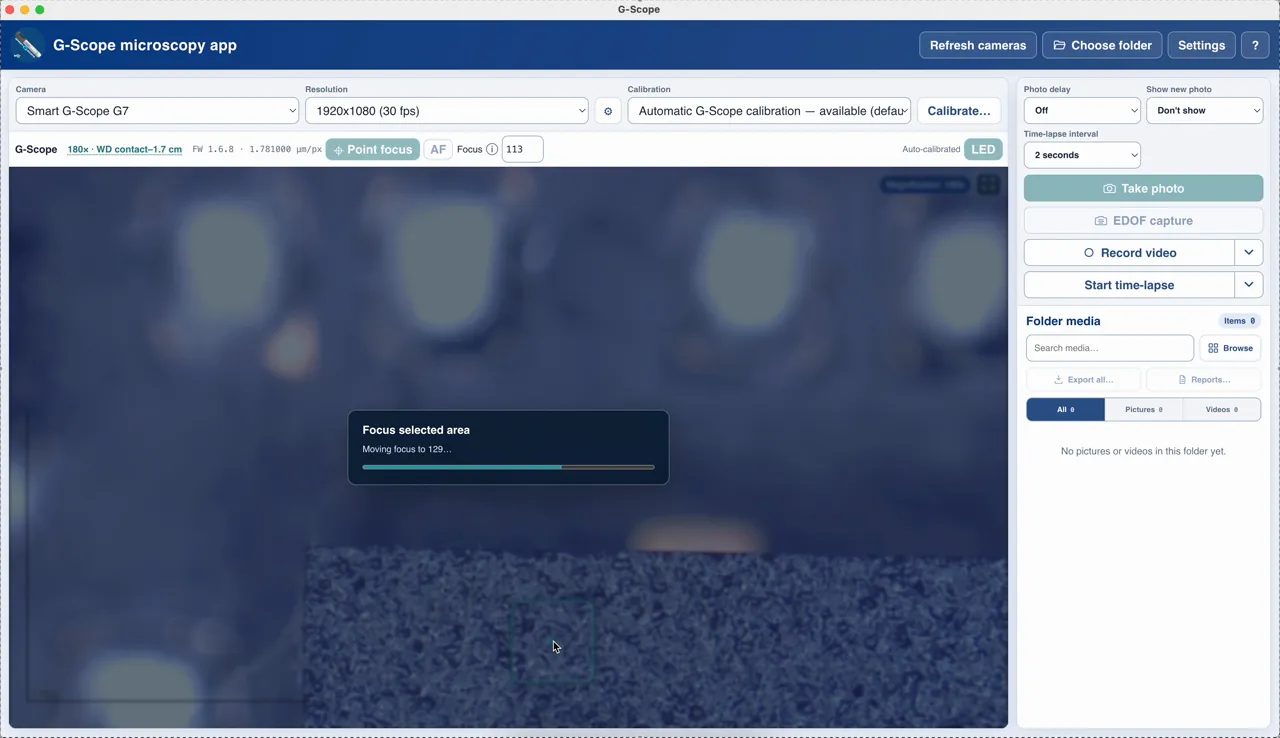
Point focus for Smart G-Scope: click the object that must be sharp and the liquid-lens focus is driven to the best verified position automatically.
Open featurePhoto, video & time-lapse
One-click photos with sharpest-frame selection, MP4 video with embedded acquisition metadata, and time-lapse from 1 second to 5 minutes.
Open featureExport & annotations
Full-resolution annotated PNG, self-contained vector SVG, and measurement CSV, for one image or a whole folder, without overwriting originals.
Open featureSoftware for your microscope brand
Honest compatibility pages: what works, what was tested, and what each brand's owners should expect.
The reference implementation: automatic calibration, click-to-focus, EDOF capture, hardware capture button and full device control for Smart G-Scope.
View compatibility detailsDino-Lite UVC video plus optional SDK-backed MicroTouch capture, LED control and automatic magnification when the installed model supports it.
View compatibility detailsJiusion wired microscopes expose a standard webcam chipset: connect, capture, calibrate and measure without the bundled utility maze.
View compatibility detailsThe clean-UVC reference: Plugable microscopes connect as standard cameras and get the full capture, calibration and measurement workflow.
View compatibility detailsTOMLOV LCD/HDMI/USB microscopes: use the PC mode with the full capture, calibration and measurement workflow, with honest limits on PC resolution.
View compatibility detailsTested with the Toproview DM023A on Windows: connect through USB for live view, capture, calibration and measurements, including its touch capture button.
View compatibility detailsAndonstar PCB-inspection microscopes: live USB view, calibrated measurement and clear guidance when an HDMI-first model has no PC feed.
View compatibility detailsBysameyee wired microscopes use standard webcam chipsets: one free app replaces the fragmented software recommendations.
View compatibility detailsHAYEAR C-mount and USB cameras: from 5MP USB 2.0 to 4K USB 3.0, with the bandwidth, decoding and rendering work done properly.
View compatibility detailsAmScope MD-series UVC eyepiece cameras: connect your compound or stereo microscope and get capture, calibration and measurement software that works.
View compatibility detailsCelestron Labs handheld microscopes and digital imagers: USB-C plug-and-play capture and measurement for schools and families.
View compatibility detailsOMAX UVC eyepiece cameras: from the 1.3MP A3513S to the 5MP A3550S-MK2, with calibration per objective and exportable records.
View compatibility detailsSkybasic wired microscopes expose a standard UVC camera (GENERAL-UVC): connect through USB and the full capture, calibration and measurement workflow works.
View compatibility detailsElikliv wired microscopes with a PC camera mode expose standard UVC: connect through USB and the full capture, calibration and measurement workflow works.
View compatibility detailsINSMA wired microscopes use the standard webcam chipset family: connect through USB and the full capture, calibration and measurement workflow works.
View compatibility detailsUse the tested Carson zOrb MM-500 with G-Scope Desktop for live view, image capture, calibration, measurement and local session organization.
View compatibility detailsMade for our own microscope
G-Scope Desktop is developed with the Smart G-Scope microscope we sell. Automatic calibration, click-to-focus and calibrated EDOF capture are reference features. Pro is included free while the device is connected.
Frequently asked questions
Is the software really free?
Yes. The core workflow (connect, view, capture, calibrate, measure with the ruler tools, annotate and export annotated PNG) is free with no limits. An optional one-time Pro license adds advanced measurement, reporting and batch-export tools, and is included free with a connected Smart G-Scope.
Will it work with my microscope?
If the microscope appears as a camera in your operating system, it almost certainly works. The app connects through standard UVC camera interfaces on Windows, macOS and Linux. See the compatibility list for tested brands and models.
Why is it better than the bundled software?
Bundled software is usually old, limited to viewing, and Windows-only. G-Scope is current, free, works on four operating systems, and includes calibration, measurements, annotations and reports.
Do you support Smart G-Scope?
Yes, Smart G-Scope is the fully integrated reference device, with automatic calibration, click-to-focus, EDOF capture and the hardware capture button.
Ready to see your microscope properly?
Download free for Windows, macOS, Linux or Android.
Download G-Scope