Microscope brandTested and compatible
G-Scope Desktop for Dino-Lite
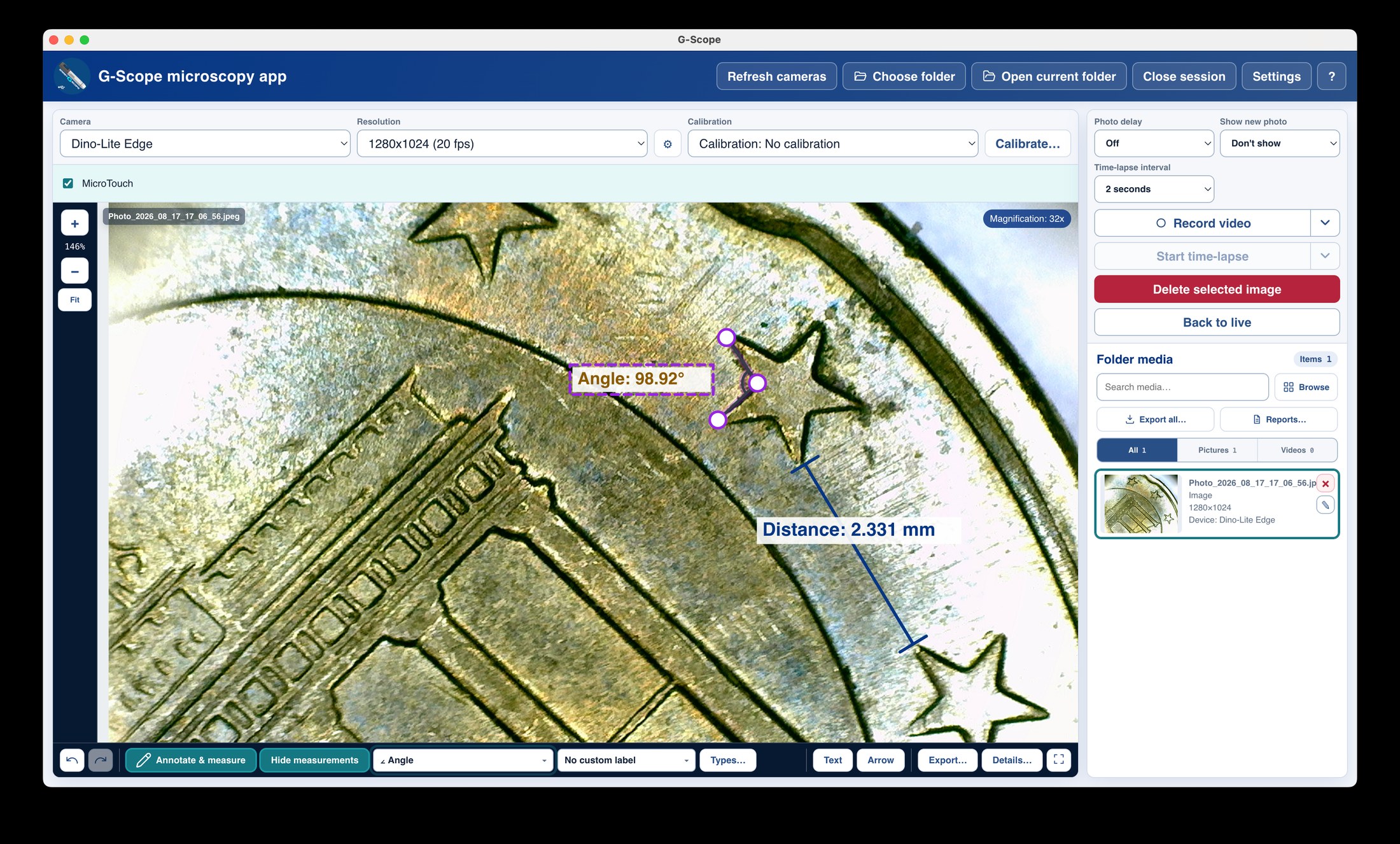
Dino-Lite microscopes work as standard UVC cameras, and the app adds an optional SDK adapter: MicroTouch capture, LED control and automatic magnification/field of view on models and drivers that expose them. Generic video always works as a fallback.
At a glance
Status
Tested and compatible
Video
Generic UVC everywhere; SDK features where supported
Calibration
Automatic or model-specific via SDK
Pro included
Pro features unlock with a license (not tied to Dino-Lite)
Models
AM4113-series UVC models; AM4117/AF-series for SDK features
Last tested
August 2026
App version
v2.6.3
Operating systems
Windows / macOS
What you get
Dino-Lite / WF20 over Wi-Fi
Connect through a compatible WF20 Wi-Fi bridge on desktop or Android for live view and photo capture. Supported models also provide LED control, MicroTouch and automatic calibration when valid magnification and calibration data are available.
Better than the fragmented Dino-Lite software stack
One app for capture, calibration, measurement, annotation and reporting, instead of separate capture, measurement and SDK utilities.
SDK-backed device features where available
MicroTouch capture, LED control and automatic magnification/field-of-view work on models and drivers that expose the Dino-Lite SDK; everything else still works through plain UVC video.
Professional measurement workflow
Calibrate once per magnification, measure in real units, and export annotated PNG/SVG, CSV, PDF or PowerPoint reports.
Modern, current software
Free downloads for Windows and macOS, active development, and local-only processing, no accounts, no cloud.
Dino-Lite: DinoCapture-style workflow vs G-Scope Desktop
| ✕Separate capture app, measurement utility and SDK tools to keep in sync | Capture, calibration, measurement, annotation and reports in one app |
| ✕Feature availability depends on which utility you open | One UI that shows exactly what the connected model supports |
| ✕Export limited to screenshots or vendor formats | PNG, SVG, CSV, PDF and PowerPoint exports from the same overlays |
| ✕Windows-centric workflows | Windows and macOS builds from the same codebase |
Limitations & expectations
- The listed hardware test results cover USB. WF20 protocol support does not imply every Dino-Lite model and firmware has been physically tested over Wi-Fi.
- SDK-backed features (MicroTouch, LED, magnification metadata) require a model and driver that expose the Dino-Lite SDK.
- Hardware capture button availability varies by model.
Frequently asked questions
Can I use a Dino-Lite wirelessly?
Yes. G-Scope Desktop and Android support the Dino-Lite / WF20 Wi-Fi protocol. Join the bridge's Wi-Fi network and select the camera. On desktop, enable Include Wi-Fi cameras first. Wi-Fi controls use the bridge protocol and do not require the USB SDK; availability depends on the connected model and firmware.
Which Dino-Lite models are supported?
Any model that exposes a UVC video stream works for live view, capture, calibration and measurement. SDK-backed features (MicroTouch, LED, automatic magnification) depend on the installed model and driver; AM4113-series UVC models are the tested baseline.
Is this the official Dino-Lite software?
No. G-Scope Desktop is an independent application, not affiliated with Dino-Lite or DinoCapture. It simply supports Dino-Lite cameras as standard UVC devices, with an optional SDK adapter where the hardware exposes it.
Does the hardware capture button work?
MicroTouch capture works through the SDK adapter on models that expose it. On plain UVC models the button behavior depends on the device; keyboard and hands-free shortcuts always work.
G-Scope Desktop is an independent application, not affiliated with the brand of your microscope.