Feature
EDOF capture: sharp focus across a 3D surface (Smart G-Scope)
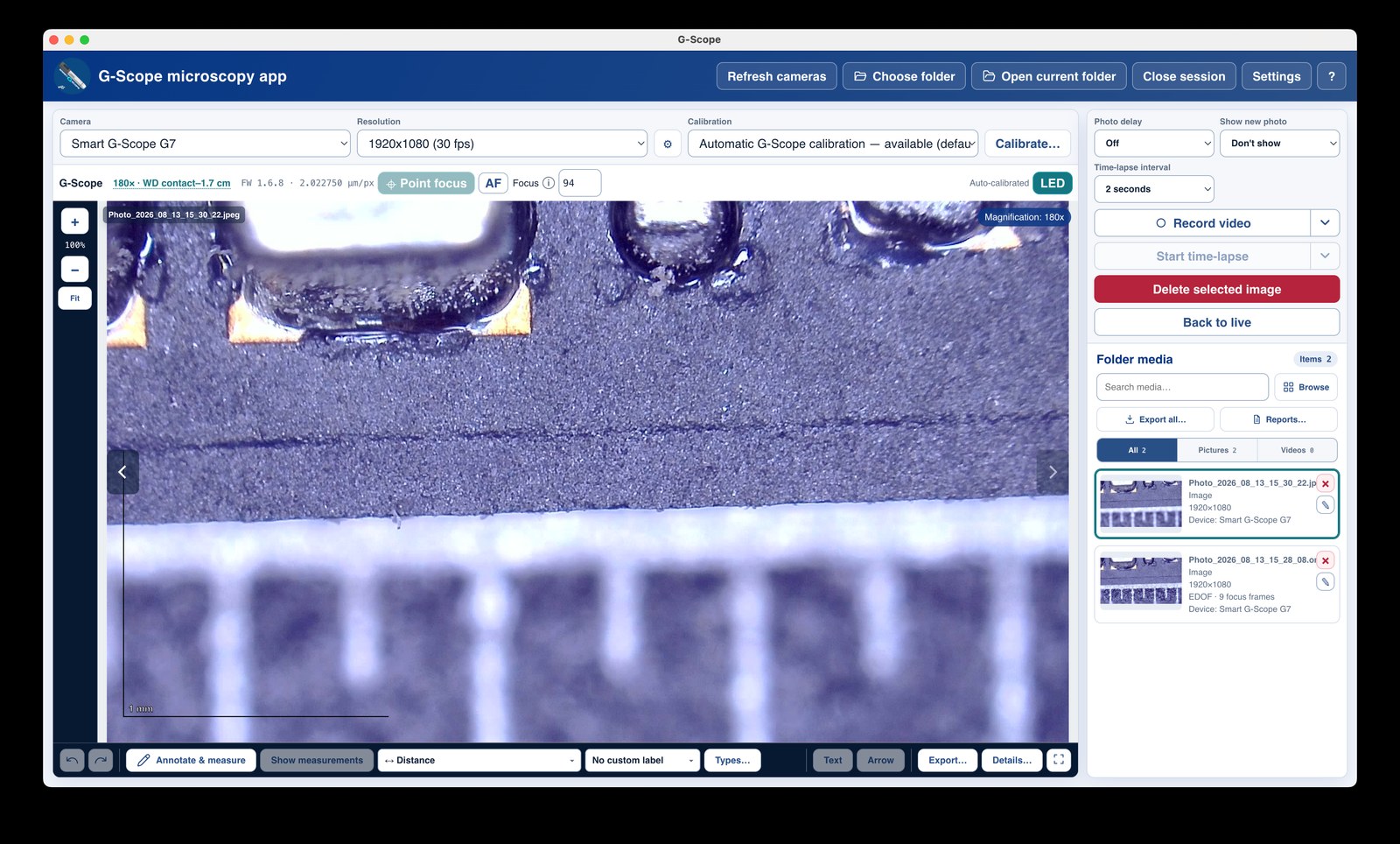
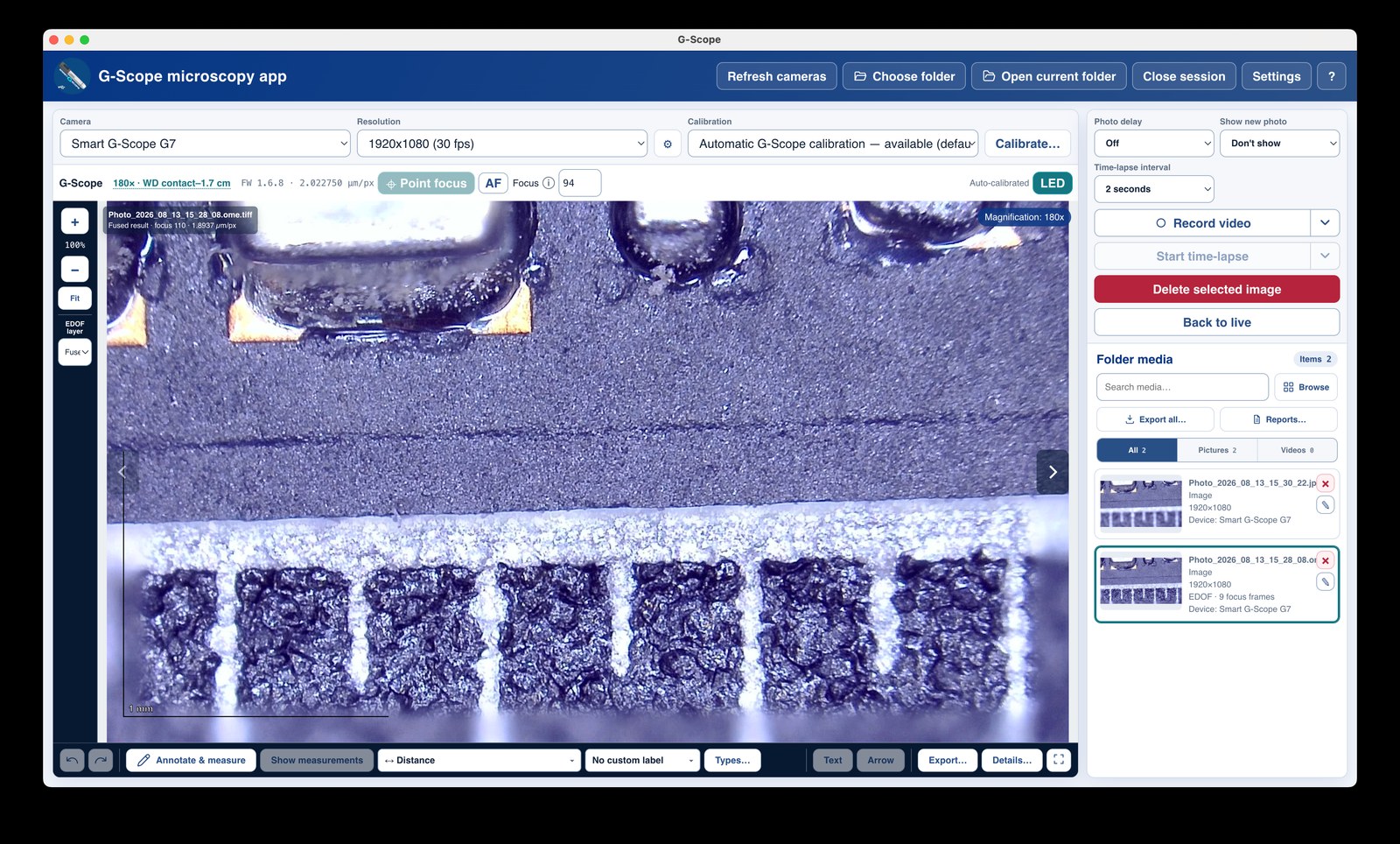
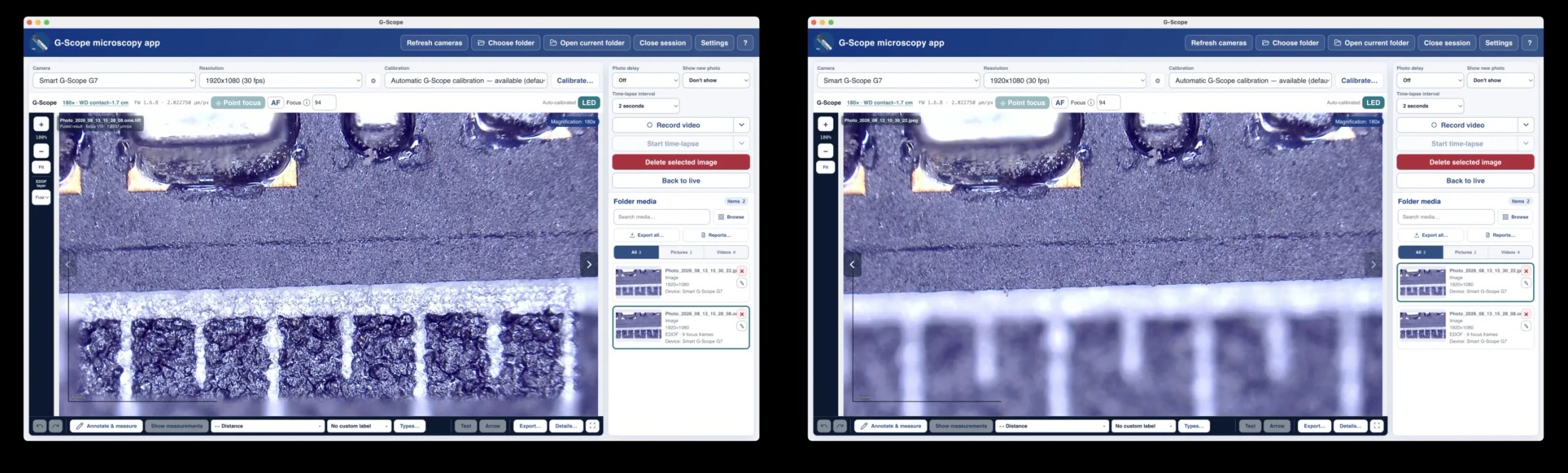
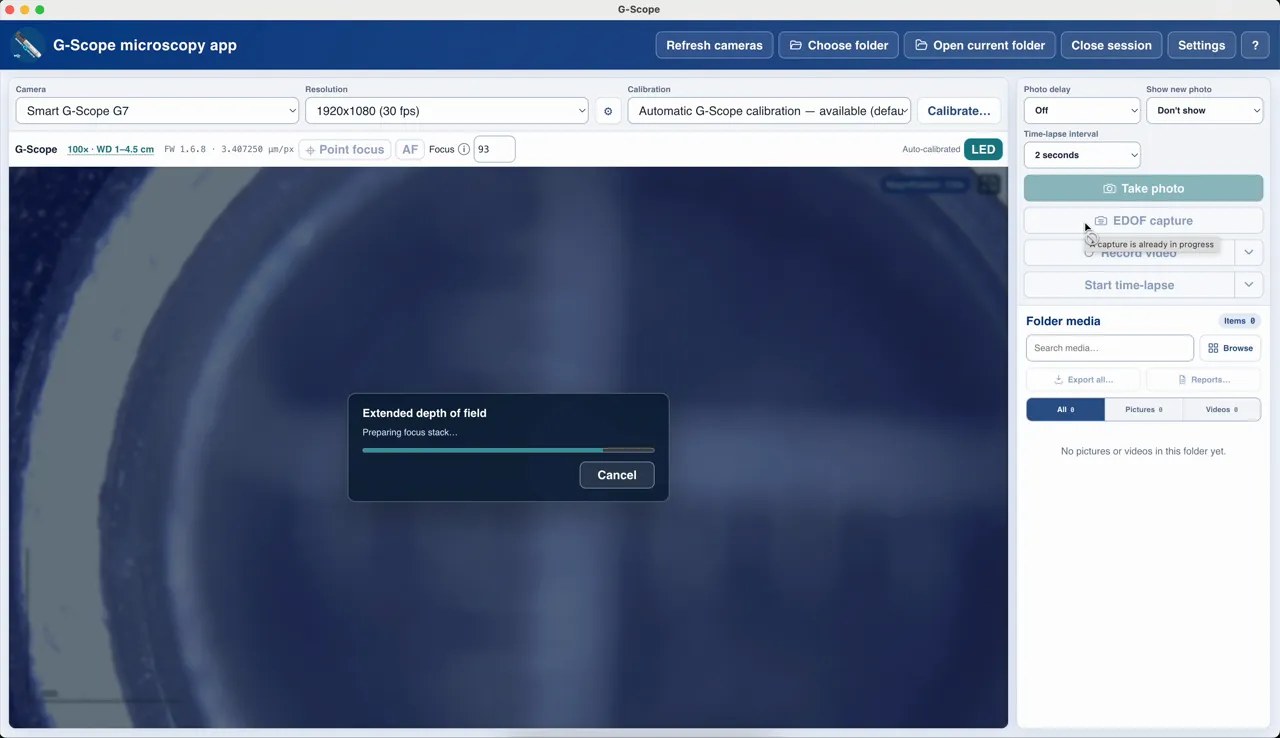
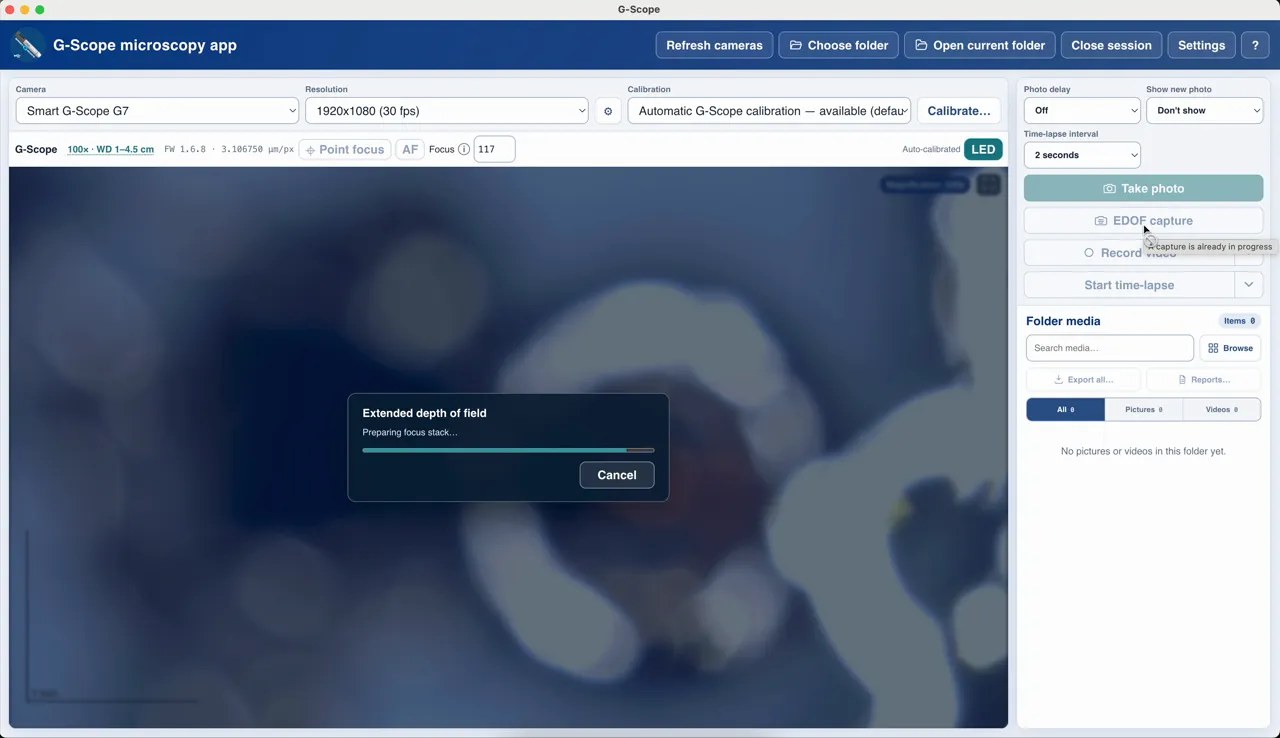
With a connected Smart G-Scope, the app steps the focus through a calibrated interval, captures several photographs, aligns and fuses them into a single extended-depth-of-field image. The original focus layers are stored in the OME-TIFF by default, and measurements stay calibrated.
At a glance
Requires
A genuine Smart G-Scope with liquid-lens focus
Frames
3, 5, 7 or 9 focus planes (5 by default)
Archive
Original layers saved in OME-TIFF by default
Safe by design
Quality gates with byte-for-byte fallback to the reference frame
What you get
One sharp image of a 3D surface
Solder joints, fibers, coins, engraved features: surfaces that never fit in a single plane come out fully sharp because every depth level is sampled and fused.
Measurements stay calibrated
The fused image keeps the manufacturer pixel size at the calibrated reference focus. Scale legend, sidecar metadata, OME-XML physical sizes and subsequent measurements all use the same value.
Original layers archived
By default the OME-TIFF contains the fused result plus one exact source frame per focus position, each with its own physical pixel size, auditable and reprocessable. Disable the setting for smaller files.
Local and deterministic
The pipeline runs entirely on your computer: no cloud, no GPU requirement, no learned hallucination. If registration cannot be trusted, the app falls back byte-for-byte to the calibrated reference frame instead of inventing detail.
Focus restored automatically
The lens returns to your original focus position after acquisition (and after any error), so you can keep working without re-focusing.
How it works
- 1Choose the frame count (3, 5, 7 or 9) in Settings; the default 5 is the best quality/time compromise on the connected 100× device.
- 2The app steps the focus through the manufacturer-calibrated focus interval, reading back and validating every position.
- 3Each frame is normalized onto the calibrated reference grid and registered against adjacent planes.
- 4Sharpness is measured per region and a coherent depth map selects the trustworthy source for every area.
- 5A four-level multiband blend fuses the selected regions; independent quality gates accept the result or fall back to the reference frame.
- 6The original focus is restored and the OME-TIFF archive is written with full registration and quality metadata.
Screenshots & video
Limitations & expectations
- Requires a connected, genuine Smart G-Scope (liquid-lens focus + lens calibration).
- Best results need a stationary specimen; motion during the stack can hurt the fusion.
- EDOF makes surfaces visible but is not a 3D model. A single calibrated plane describes the reference geometry for measurements.
Frequently asked questions
Which devices support EDOF?
EDOF requires a genuine Smart G-Scope with liquid-lens focus and manufacturer lens calibration. It is a hardware feature of the device, not available for generic UVC cameras. The button explains the exact reason when a condition is missing (focus unreadable, unsupported optical mode, digital zoom active, another capture running…).
How many frames should I use?
5 is the default and recommended. 3 is a fast check for shallow specimens; 7 and 9 increase sampling density on complex multi-level surfaces but take longer and are not guaranteed to be better. If the specimen can move, fewer frames are safer.
Why does the app save OME-TIFF?
OME-TIFF is the standard microscopy archive format. It stores the fused image plus the exact source layers, each with its own physical pixel size, so the capture remains scientifically auditable and readable by other microscopy tools.
Can EDOF fail?
Yes, and failure is safe. If the proposed composite does not improve focus coverage, or registration confidence is too low, the app falls back to the calibrated reference frame and records the reasons in the metadata.