Feature
Flat-field correction for even, traceable microscope images
G-Scope Desktop captures a robust 12-frame bright-field reference and an optional 8-frame dark reference, evaluates their quality, and applies the resulting profile consistently to live view, photos and EDOF. The bright and dark master images stay with the profile so you can inspect exactly what produced it.
At a glance
Robust acquisition
12 bright frames + optional 8-frame dark reference
Inspectable
Stored bright and dark master images open from profile details
Profile identity
Camera, resolution, optical preset and calibrated magnification
Consistent output
Live view, photos and EDOF use the same linear-light correction
What you get
Remove fixed illumination artefacts
Correct vignetting, darker corners, colour casts, dust shadows and spatial camera response without changing the specimen itself.
See the references behind every profile
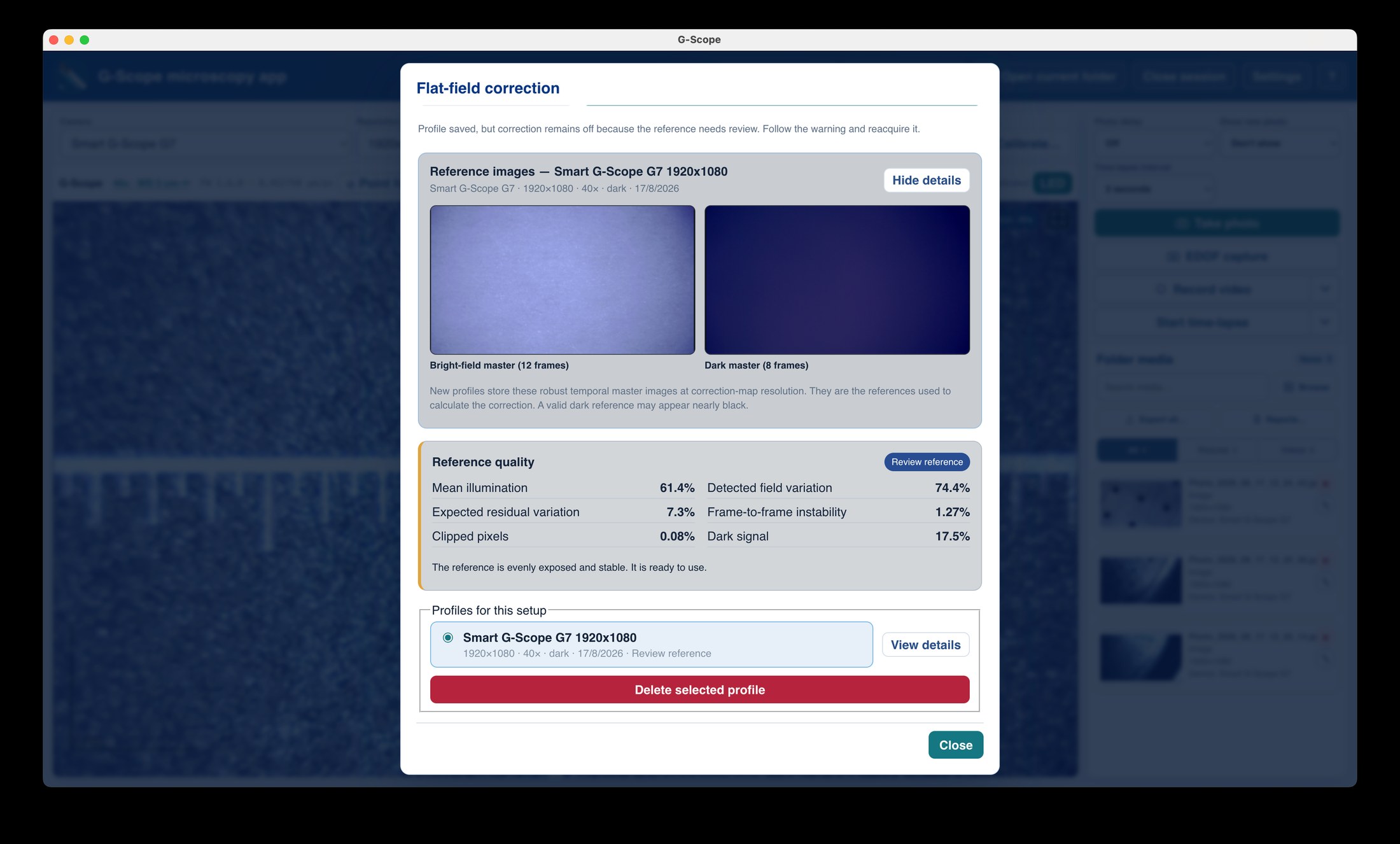
The robust temporal bright master and optional dark master are stored at correction-map resolution. Open View details at any time to audit the exact images used for the profile.
Quality checks before correction
The app reports illumination, clipping, field variation, expected residual variation, temporal instability and dark signal, with actionable warnings when a reference should be reacquired.
Magnification-aware matching
Profiles retain the resolved automatic, manual or recommended calibration magnification. Smart G-Scope choices show the useful value, such as 40×, rather than an internal firmware mode number. For Dino-Lite's continuous readings, the closest profile within 5% is selected automatically.
Local and reusable
Profiles and their reference masters stay on your computer and can be reused whenever the same camera, resolution, magnification and optical setup return.
How it works
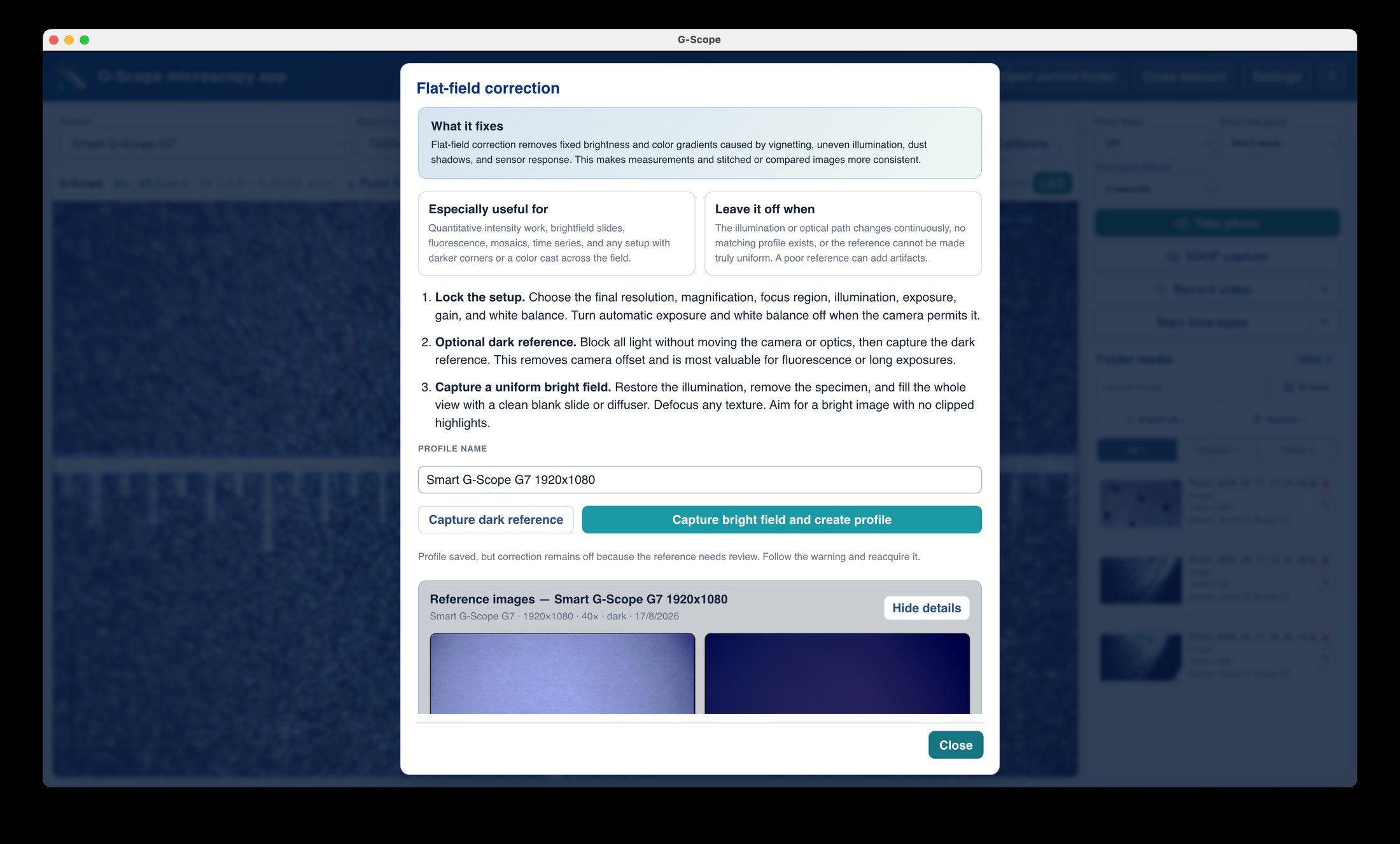
- 1Lock the final camera, resolution, magnification, illumination, exposure, gain and white balance.
- 2Optionally block all light and capture the 8-frame dark reference; its master preview appears immediately.
- 3Restore the illumination, remove the specimen and capture a clean, uniform 12-frame bright field.
- 4Review the stored bright/dark masters and quality grade, then enable the profile for matching live view and captures.
Flat-field correction: unverified shortcut vs G-Scope Desktop
| ✕A single noisy reference frame with no acquisition check | Robust multi-frame masters with clipping, stability and residual-quality checks |
| ✕A correction profile with no record of the source images | Viewable bright and optional dark master images stored with every new profile |
| ✕Profile names tied to opaque firmware modes | Profiles matched and labelled with calibrated magnification where available |
| ✕Correction applied differently to preview and saved files | Equivalent linear-light correction in live view, photos and EDOF |
Screenshots & video
Frequently asked questions
What should I photograph for the bright-field reference?
Remove the specimen and fill the complete view with a clean blank slide, diffuser or suitable uniform fluorescent reference. Defocus any visible texture and avoid clipped highlights.
Is a dark reference required?
No. It is optional, but useful for fluorescence, long exposures and cameras with a visible offset. Block all incident light without moving the camera or optical path before capturing it.
Can I inspect what was used to create a saved profile?
Yes. Open the flat-field profile manager and choose View details. New profiles retain the robust bright master and optional dark master, plus frame counts, quality metrics, resolution, magnification and date.
When should I create a new profile?
Reacquire after changing the camera, resolution, magnification, illumination geometry, filter, objective or adapter, exposure or analogue gain, or after cleaning or repositioning the optical path.