Feature
Calibrated measurements on your microscope images
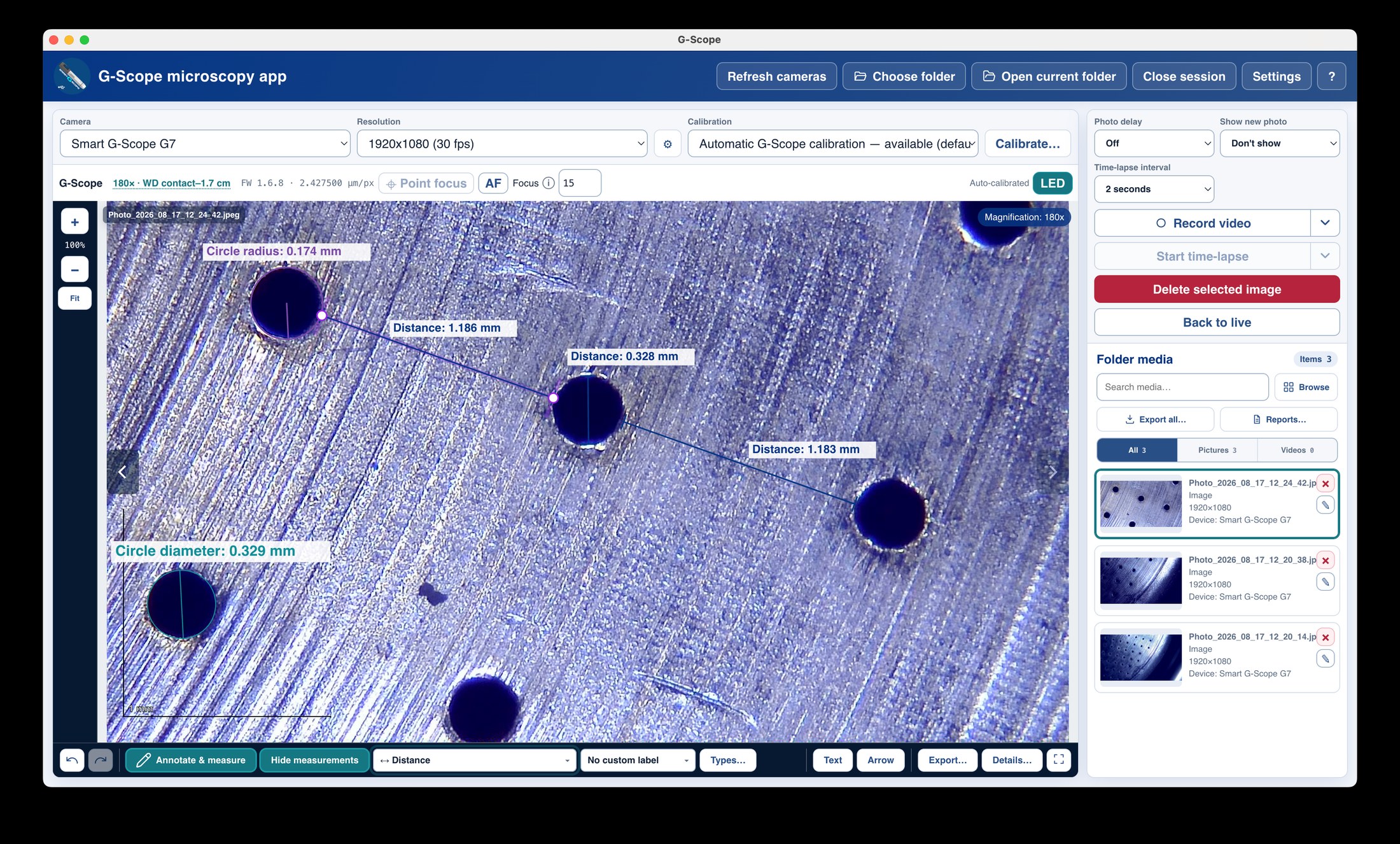
A calibrated ruler set for everyday work (distance, multi-segment, perpendicular, angle, circle diameter and radius) is free. Area, perimeter, counting and multi-point construction tools are part of the optional Pro upgrade.
At a glance
Free ruler set
Distance, multi-segment, perpendicular, angle, circle Ø/radius
Pro tools
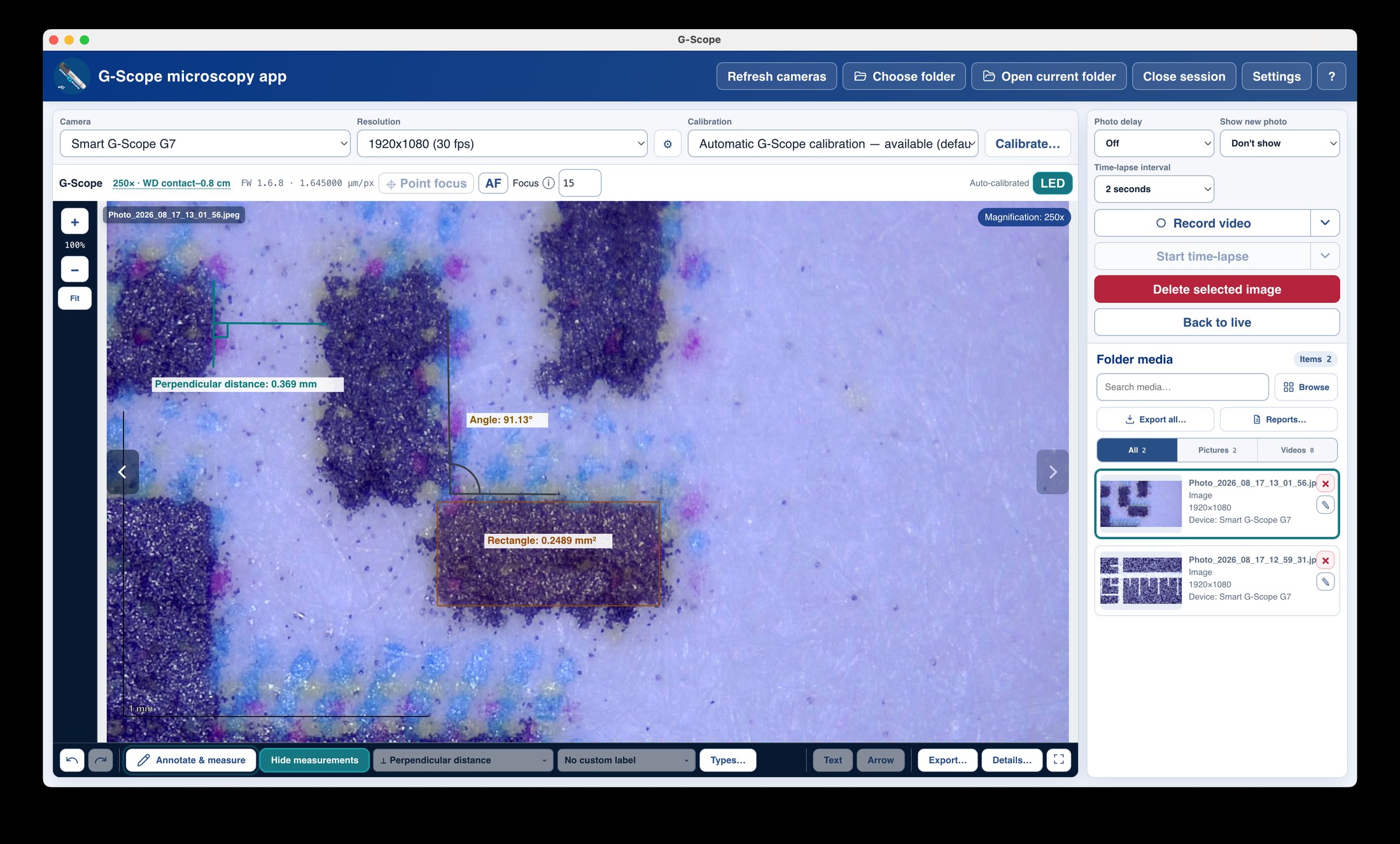
Areas, perimeter, circumference, object count, parallel distance, ellipse, 3-point circle, 4-point angle, arc, point coordinates, concentric circles, center distance
Real units
µm / mm after a one-time calibration
Editable overlays
Move vertices and shapes; style per measurement type
What you get
The everyday ruler set is free
Distance, multi-segment distance, perpendicular distance, angle, circle diameter and circle radius work without any license. This covers most routine inspection and documentation.
Advanced area and counting tools (Pro)
Circle, rectangle, polygon and freeform areas, perimeter, circumference, object count, parallel distance, ellipse, 3-point and 4-point angles, arcs, point coordinates, concentric circles and center distance unlock with the Pro license, and are included free while a Smart G-Scope is connected.
Calibrated to real units
After a one-time calibration against a known distance, every value is shown in physical units. No pixel-only estimates.
Editable after creation
Vertices and complete shapes can be moved; the geometry type stays fixed so a line cannot silently become a polygon. Undo/redo covers measurements, annotations, movement and styling.
Custom measurement types
Define your own type names (crack width, fibre length, pad spacing), and each type remembers its own line, font, text and background appearance across sessions.
System font access
Installed system fonts can be enumerated for measurement labels through Chromium's permission-scoped font access, or entered manually.
Scale bar and exports
A physical scale bar is drawn on calibrated images, and measurements travel with the picture into annotated PNG, SVG, CSV, PDF and PowerPoint exports.
Measurements: stock software vs G-Scope Desktop
| ✕Measurement tools buried in a separate app, or not included at all | Built-in calibration wizard and measurement tools in the same app, in the same window |
| ✕Pixel values that mean nothing without a ruler | Real-unit values (µm / mm) once calibrated |
| ✕Overlays burned into the image and lost forever | Editable overlays saved with capture metadata and exported to PNG/SVG/CSV/PDF/PPTX |
| ✕One fixed calibration for every magnification | Named profiles saved per camera, resolution and magnification |
Screenshots & video
Frequently asked questions
Do I need to calibrate before measuring?
Yes: measurements are only meaningful after calibration. The full-screen wizard takes a known distance (a ruler, a stage micrometer or any reference) and saves a named profile per camera, resolution and magnification. Smart G-Scope owners get automatic calibration instead.
Which measurement tools are free and which are Pro?
Free: distance, multi-segment distance, perpendicular distance, angle, circle diameter and circle radius. Pro: everything that measures area, counts objects or needs multi-point construction: circle/rectangle/polygon/freeform area, perimeter, circumference, object count, parallel distance, ellipse, 3-point circle, 4-point angle, arc, point coordinates, concentric circles and center distance.
Can I change a measurement after creating it?
Yes. Vertices and whole shapes can be moved, text labels edited, and line/font/background styling changed with a live preview. The geometry type itself stays fixed after creation.