Feature
Object counting: cells, particles, solder balls and more
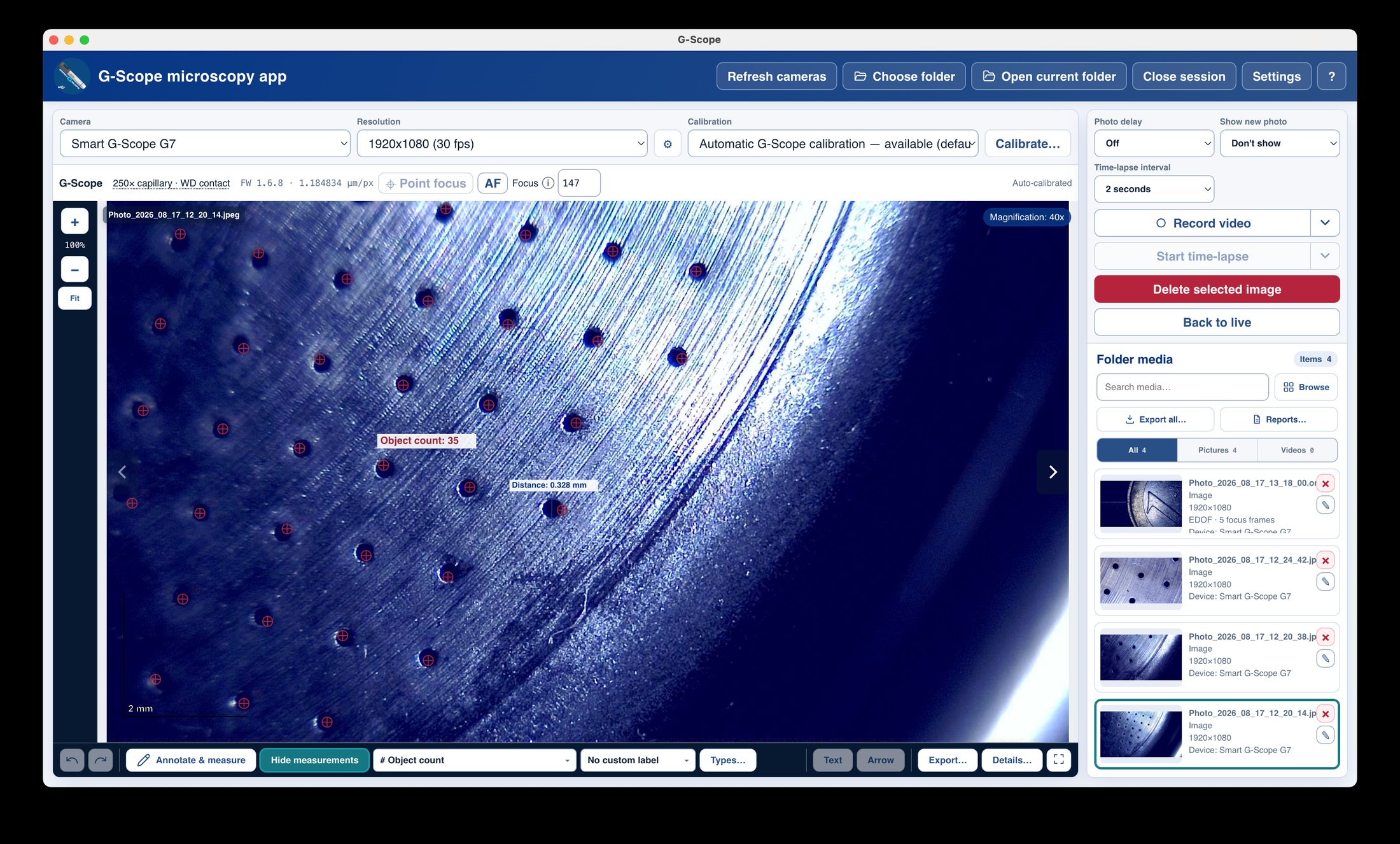
The object-count tool (Pro) lets you mark and count items on an image (cells, particles, solder balls, fibers), and combines with the calibrated area tools so counts and densities are reproducible.
At a glance
Pro tool
Included with the Pro license or a connected Smart G-Scope
Markers
Tap or click each object; counts update live
Combined with area
Count plus calibrated area and perimeter in one overlay
Exportable
Counts travel into PNG/SVG/CSV/PDF/PPTX exports
What you get
Count anything visible
Cells on a smear, particles on a filter, solder balls on a board, fibers in a weave: mark each object and the tool counts them for you.
Counts stay calibrated
Because counting shares the calibrated coordinate system, a count can be combined with area and density values on the same image.
Reproducible records
Markers are saved with the capture metadata and rendered in exports, so the count can be audited later instead of trusting a number.
Part of the Pro measurement set
Object counting unlocks with the Pro license and is free while a genuine Smart G-Scope is connected, like the other advanced measurement tools.
Object counting: manual vs G-Scope Desktop
| ✕Hand-tally counts on paper or in a spreadsheet, separate from the image | Markers on the image itself, saved with the capture metadata |
| ✕No link between the count and the calibrated area | Counts, areas and perimeters in one calibrated overlay |
| ✕Counts lost or re-derived for every report | Counts exported with the image to PNG/SVG/CSV/PDF/PPTX |
Frequently asked questions
Does the app count objects automatically?
No. This is a marker-based counting tool. You mark each object and the app tallies them. That is deliberate: for measurement-grade work, a human decision about what counts as an object is more trustworthy than an unverified automatic segmentation.
Is object counting free?
It is a Pro measurement tool. With a Pro license (or while a genuine Smart G-Scope is connected), it runs directly; without entitlement the button opens the purchase page.
Can I count and measure at the same time?
Yes. Counting markers and measurement shapes live in the same overlay, share the calibration, and export together.