Feature
PDF reports: turn a folder of pictures into a document
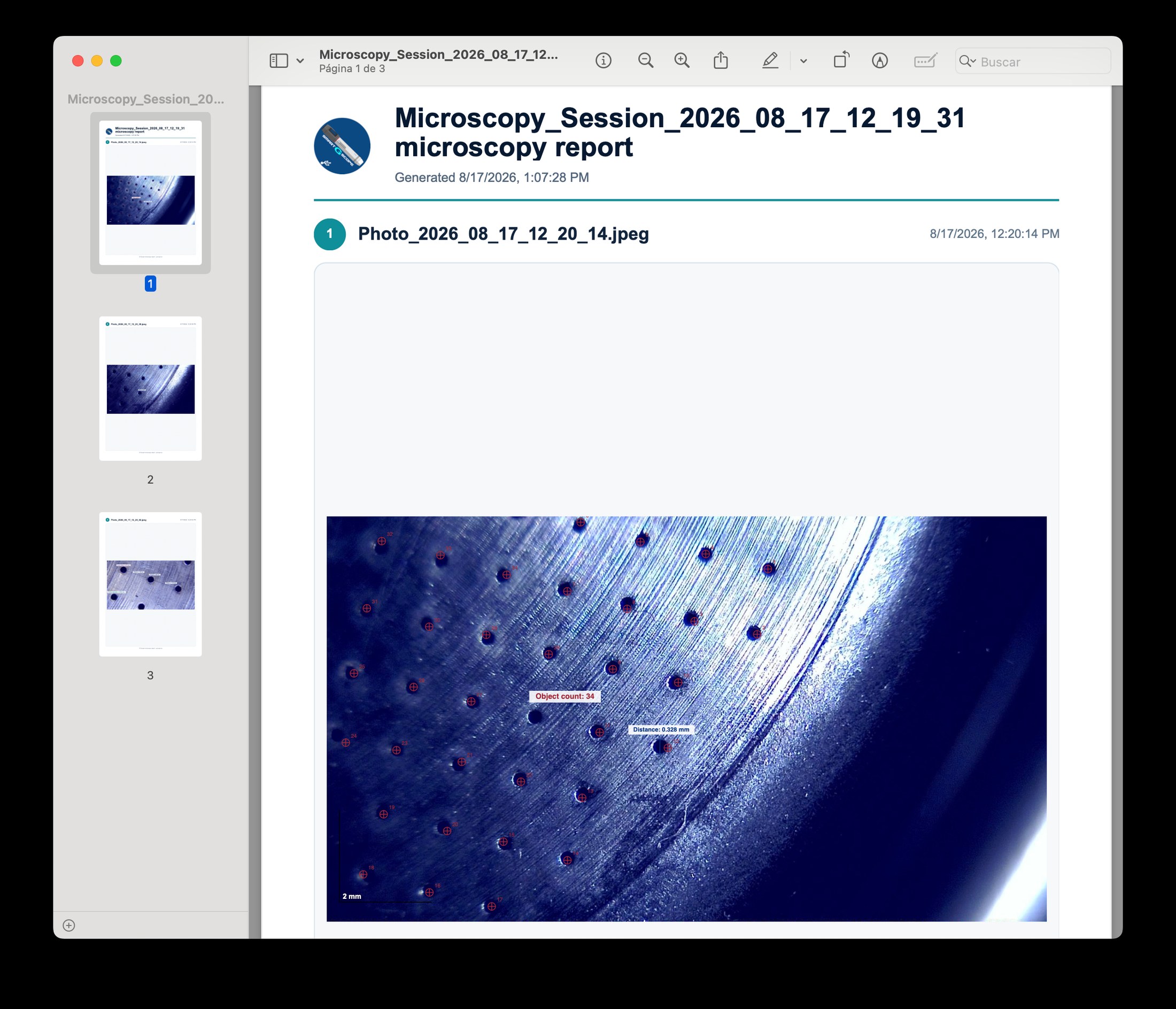
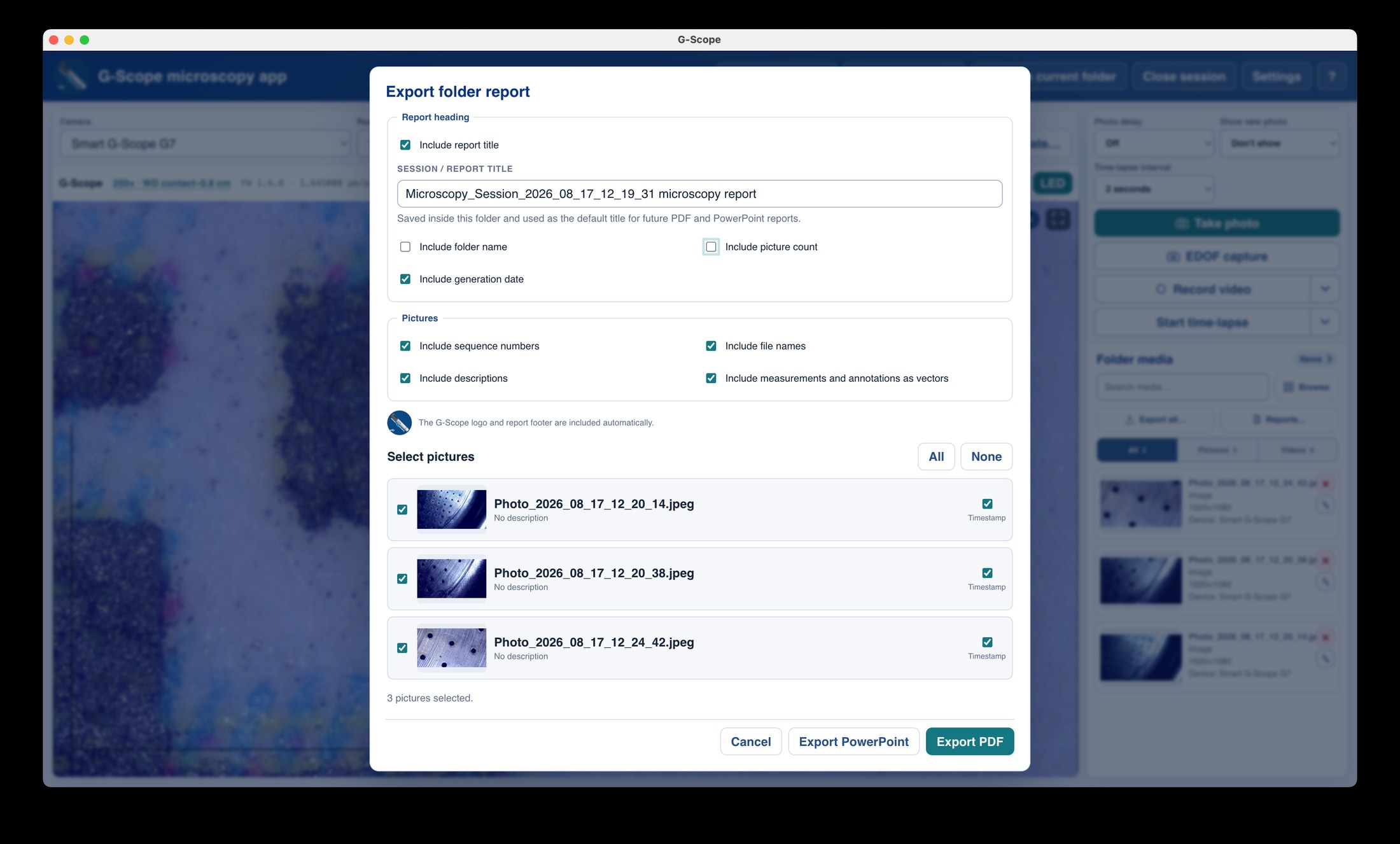
The folder report turns every picture in your session folder into a professional PDF: title page, per-image metadata, and your calibrated measurements and annotations rendered at full resolution.
At a glance
One click
Pick the destination and export the whole folder
Title page
Session name, date and metadata
Overlays included
Measurements and annotations rendered into the report
Local
Generated on your computer; nothing is uploaded
What you get
A whole session becomes one document
Every picture in the current folder is laid out into a single PDF with a title page, ideal for inspection reports, lab records and delivery documentation.
Capture metadata on every image
Device, timestamp, calibration/field width and capture settings are carried into the report so each figure is self-documenting.
Measurements and annotations rendered
Calibrated measurements, text labels and arrows are drawn into the report at full resolution, no flattened screenshots.
Private by design
The PDF is generated locally on your computer. There is no cloud rendering, no upload, no account.
Reporting: manual vs G-Scope Desktop
| ✕Copy each image into Word, retype the metadata, re-insert the measurements | One dialog, one click: the folder becomes a PDF with title page and metadata |
| ✕Reports assembled with screenshots that lose calibration context | Measurements and annotations rendered from the actual overlay data |
| ✕Rework the report every time the session grows | Re-export the folder in one click; existing files are never overwritten |
Screenshots & video
Frequently asked questions
Is the PDF report free?
PDF folder reports are a Pro feature. The dialog opens freely to preview; the final export requires a Pro license or a connected genuine Smart G-Scope.
Does the report upload my images anywhere?
No. Reports are generated locally on your computer. G-Scope Desktop has no cloud storage, accounts or upload pipeline.
Can I export a single image instead of a folder?
Yes: single images export as annotated PNG (free) or SVG and CSV (Pro). The PDF report is the folder-level document.