Microscope brandTested and compatible
G-Scope Desktop for Toproview
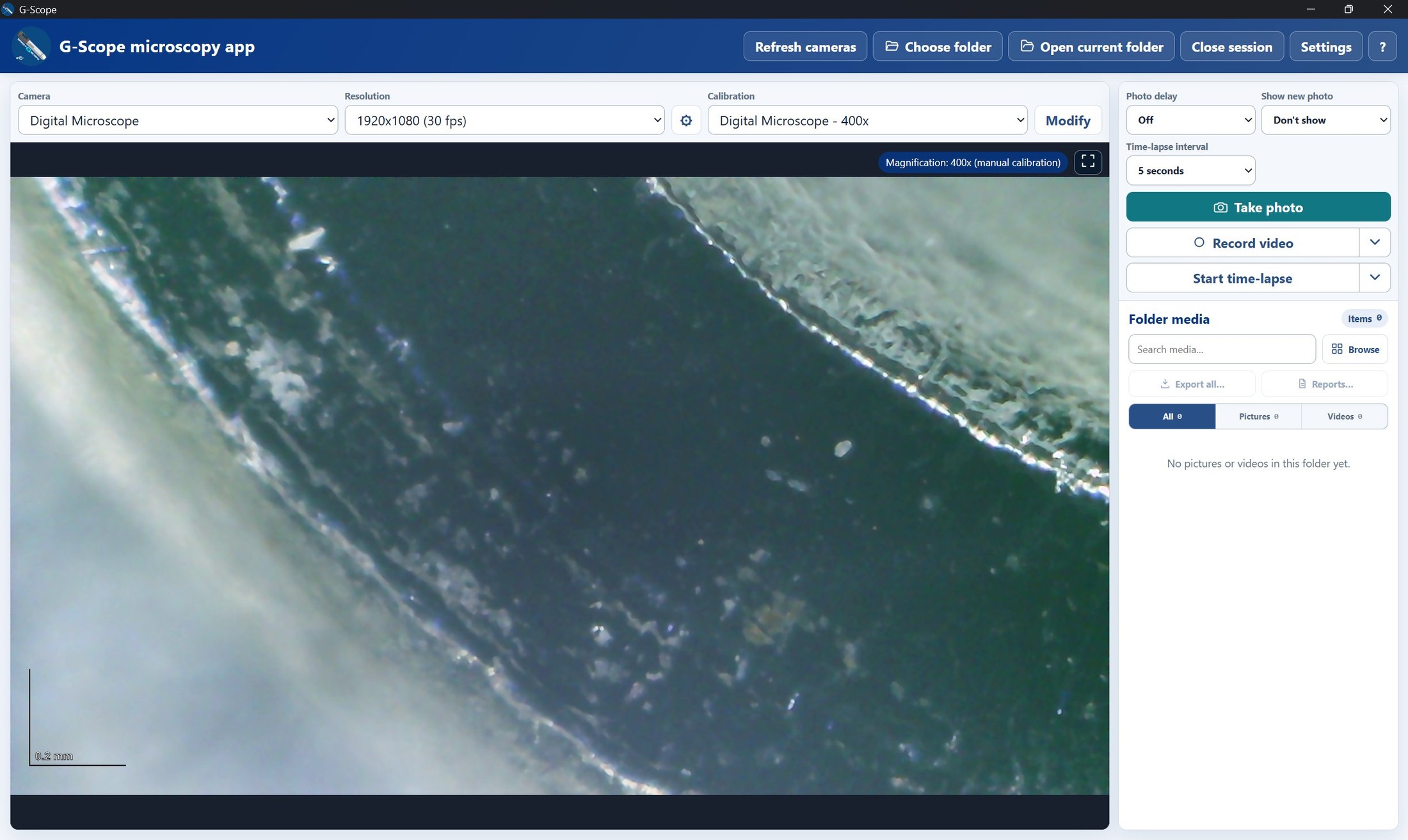
The Toproview DM023A works with G-Scope Desktop in USB PC-camera mode on Windows. Live view, capture, calibration and measurement are available in one desktop workflow, and the microscope's touch capture button is recognized.
At a glance
Status
Tested and compatible
Tested model
DM023A
Connection
USB PC-camera mode
Touch capture
Works on Windows
Models
DM023A (USB PC-camera mode)
Last tested
September 2026
App version
v2.6.3
Operating systems
Windows
What you get
Verified USB workflow on Windows
The DM023A has been tested as a USB camera with G-Scope Desktop for live inspection and image capture on Windows.
The touch capture button works
Touch the capture control on the microscope to take an image without reaching for the keyboard or mouse.
Calibrated measurement and annotation
Use the manual calibration wizard for the current setup, then measure, annotate and export images in real units.
One local desktop workflow
Capture, organize, measure and report from one application, with images stored in the session folder you choose.
How it works
- 1Connect the DM023A to the Windows computer with a USB data cable and select its PC-camera mode.
- 2Choose the microscope from the camera list and select the available video format.
- 3Capture with the microscope's touch button or a G-Scope Desktop shortcut.
- 4Calibrate for the current magnification before making measurements.
Limitations & expectations
- Verified specifically with the DM023A in USB PC-camera mode on Windows; other Toproview models and operating systems have not yet been tested.
- Jieli / TopScope / Toproview Wi-Fi is supported at the protocol level; this DM023A hardware result verifies USB only.
- Exposure, white balance and other camera controls depend on what the Windows driver exposes.
Frequently asked questions
Does the Toproview DM023A work with G-Scope Desktop?
Yes. The DM023A has been tested over USB on Windows with G-Scope Desktop 2.6.3. Live view, capture, manual calibration and measurement work in PC-camera mode.
Does the DM023A touch capture button work?
Yes. The microscope's touch capture button was verified on Windows and triggers capture in G-Scope Desktop.
Can G-Scope Desktop connect to the DM023A over Wi-Fi?
G-Scope Desktop and Android now support the Jieli / TopScope / Toproview Wi-Fi protocol family. A DM023A using that protocol can connect over Wi-Fi. The physical test recorded on this page verified USB on Windows; Wi-Fi compatibility still depends on the unit's firmware.
Is this the official Toproview software?
No. G-Scope Desktop is an independent application, not affiliated with Toproview.
G-Scope Desktop is an independent application, not affiliated with the brand of your microscope.