G-Scope
Finally, good software for your USB or Wi-Fi microscope
Connect a USB UVC or supported Wi-Fi microscope and get a real workflow: live view, capture, calibration, measurements, annotations and reports, with free core features on Windows, macOS, Linux and Android.
Free software · No accounts · No cloud
- Free to download and use
- Images stay on your device
- USB UVC & supported Wi-Fi microscopes
- Windows · macOS · Linux · Android
Download G-Scope
Free downloads for Windows, macOS, Linux and Android. Your G-Scope Pro license works on all four platforms.
Desktop version 2.6.6
Windows 10 / 11
64-bit installer
macOS 12+
Universal (Apple Silicon & Intel)
Linux
AppImage & .deb (x64)
G-Scope for Android
Android 7.0+ · Phones & tablets
Free core features. Optional Pro tools use the same license as the desktop app.
Desktop installers download directly from our servers. Install the Android app from Google Play.
Looking for an older version?
G-Scope 2.2.2 is the previous Windows release, kept as an archived compatibility download for hardware or workflows that no longer work with 2.6.x. It is Windows-only and not the same application as the current version. It lacks the newer features, fixes and device support.
Download G-Scope 2.2.2 (Windows)Wi-Fi microscopes on desktop and Android
Connect compatible Wi-Fi microscopes to G-Scope on Windows, macOS, Linux or Android for live view, photo capture, calibration and measurement.
Microscope protocol families
Dino-Lite / WF20
MJPEG video and JPEG snapshots through the Wi-Fi bridge.
Jieli / TopScope / Toproview
CTP control with JPEG or H.264 video.
JoyHonest
JPEG or H.264 video, depending on the device profile.
i4season / Suear
JPEG video over UDP.
Legacy Molink
JPEG video over TCP using the supported legacy protocol.
Standard network camera protocols
ONVIF
Camera media profiles with supported RTSP video streams.
RTSP
H.264 or JPEG video over RTP/TCP.
HTTP MJPEG
Multipart MJPEG or JPEG image streams.
On supported Dino-Lite models, Wi-Fi also provides LED control, MicroTouch capture and automatic calibration when the camera supplies valid magnification and calibration data. Other cameras can use manual calibration.
Support depends on the camera's protocol and firmware. These families do not mean every model or rebadged device has been physically tested. H.265, authenticated RTSP/ONVIF, HTTPS streams, proprietary ToupTek Wi-Fi and newer Molink obfuscation are not supported.
Connect a Wi-Fi microscope
Join the microscope's Wi-Fi network in your computer or Android device's network settings, then open G-Scope and select the Wi-Fi camera. Wi-Fi microscopes do not require a USB cable or OTG adapter.
On desktop, enable Include Wi-Fi cameras and use Refresh Cameras to check supported microscope families. For RTSP, HTTP MJPEG or ONVIF, open Settings → Network cameras → Add connection and save the exact stream URL or ONVIF device-service URL. These standard endpoints are configured individually; they are not discovered by scanning your network.
G-Scope on phones and tablets
G-Scope for Android brings the desktop microscopy workflow to phones and tablets. It replaces the previous Smart G-Scope Android app and supports compatible USB UVC and Wi-Fi microscopes, including Dino-Lite/WF20 and other supported protocol families.
One Pro license for desktop and Android
Your existing G-Scope Pro license also works in the new Android app. Activate the same key in Settings → Pro. One license covers up to 3 devices across Windows, macOS, Linux and Android.
Everything your microscope should have come with
One application replaces the fragmented utilities bundled with most USB microscopes.
Wi-Fi microscope support
Connect Dino-Lite/WF20, Jieli, JoyHonest, i4season and legacy Molink cameras, plus supported ONVIF, RTSP and HTTP MJPEG streams.
Explore all featuresLive view & capture
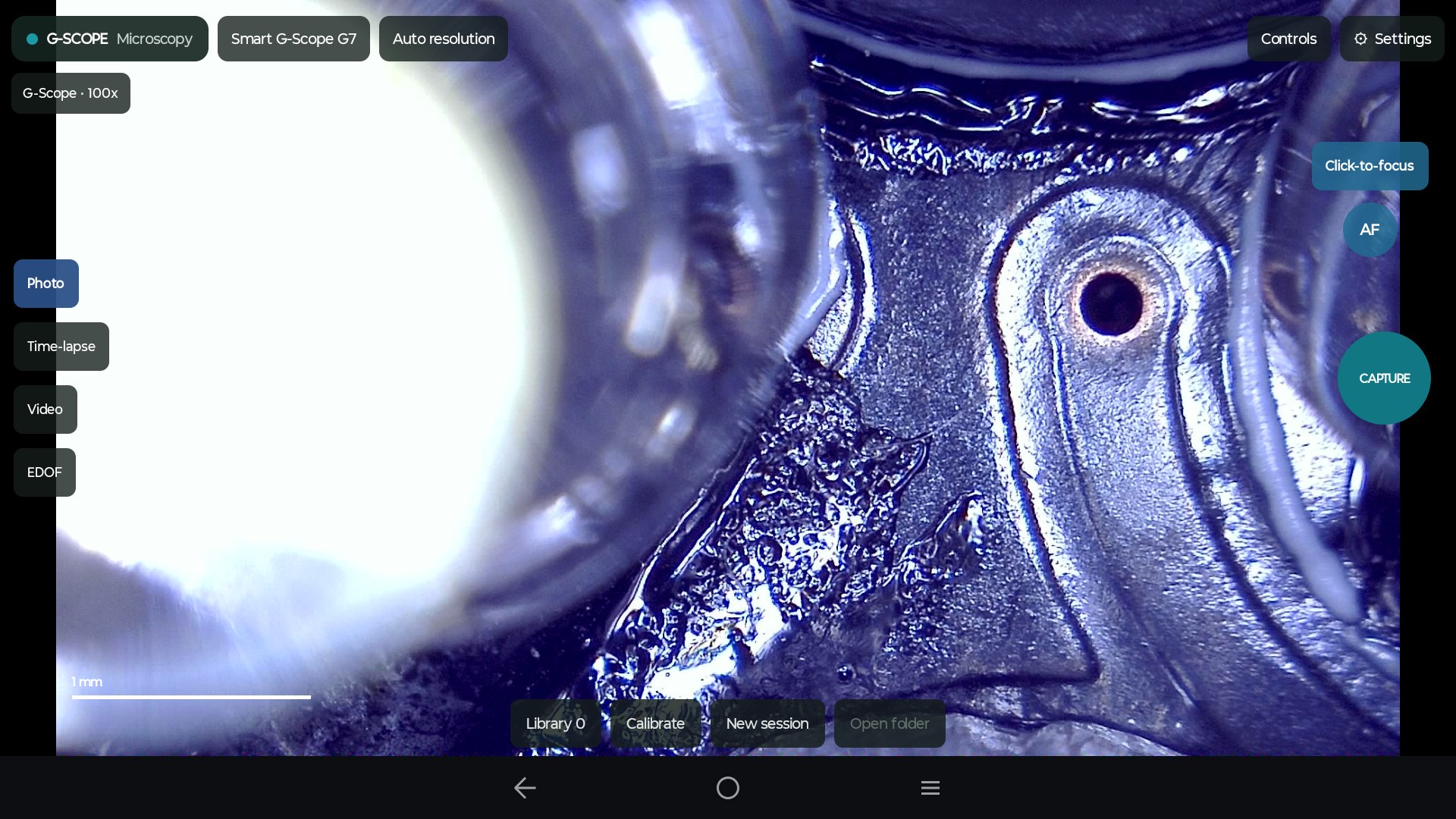
Connect, choose a folder, press F4. Photos with best-moment sharpness, MP4 video and time-lapse.
Explore all featuresPanorama & image stitching
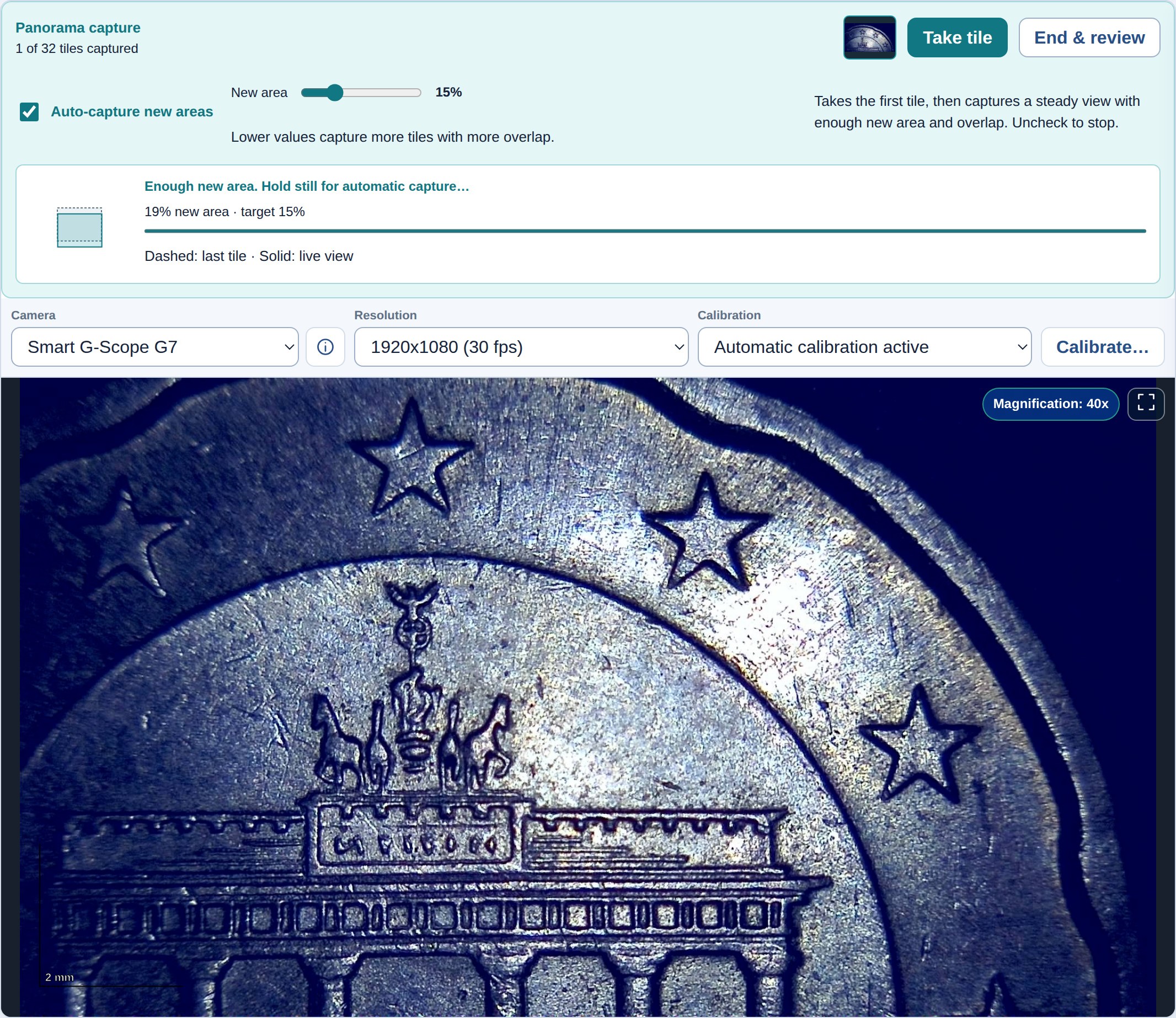
Easy microscope panoramas with guided auto-capture. Collect overlapping views, review and stitch 2–32 photos in Desktop Pro.
Explore all featuresCalibration
Calibrate any camera against a known distance and get real-unit measurements.
Explore all featuresFlat-field correction
Correct uneven illumination with robust bright/dark references you can inspect later.
Explore all featuresMeasurements
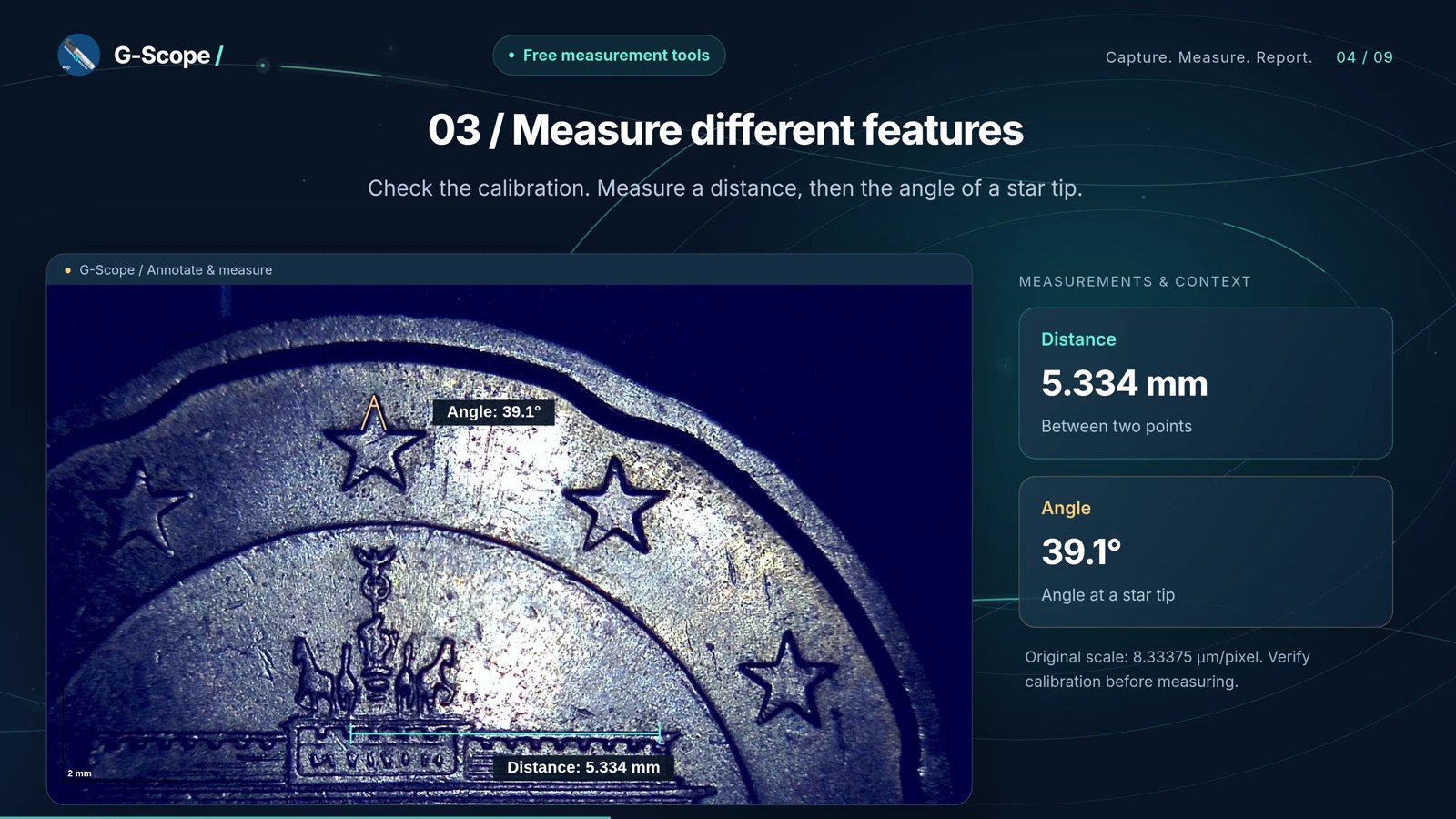
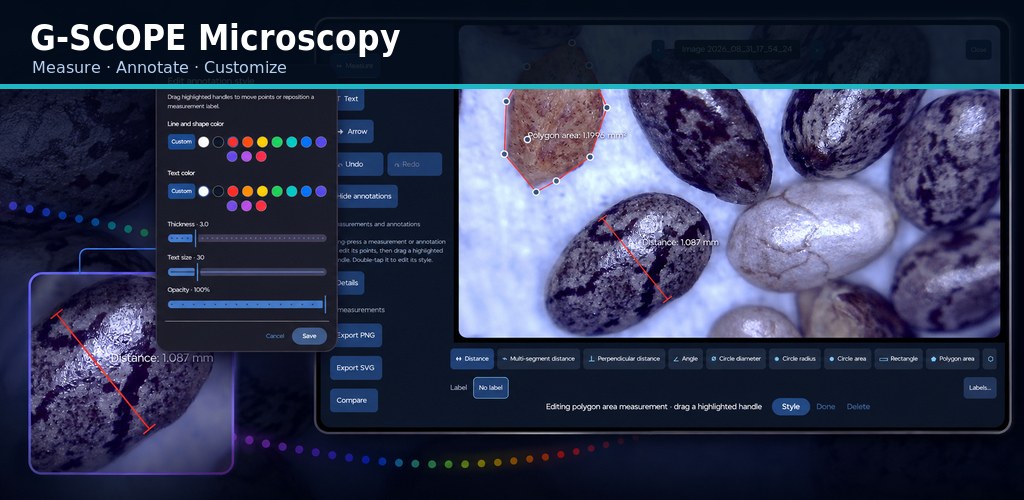
Distances, angles, areas and object counts: the everyday ruler set is free.
Explore all featuresAnnotations
Editable text and arrows on any image, with undo/redo.
Explore all featuresPDF & PowerPoint reports
Turn a whole session folder into a professional PDF or an editable PowerPoint deck.
Explore all featuresPhoto viewer & gallery
Zoom, pan, compare and organize your captures: your folder is the session.
Explore all featuresSmart G-Scope integration
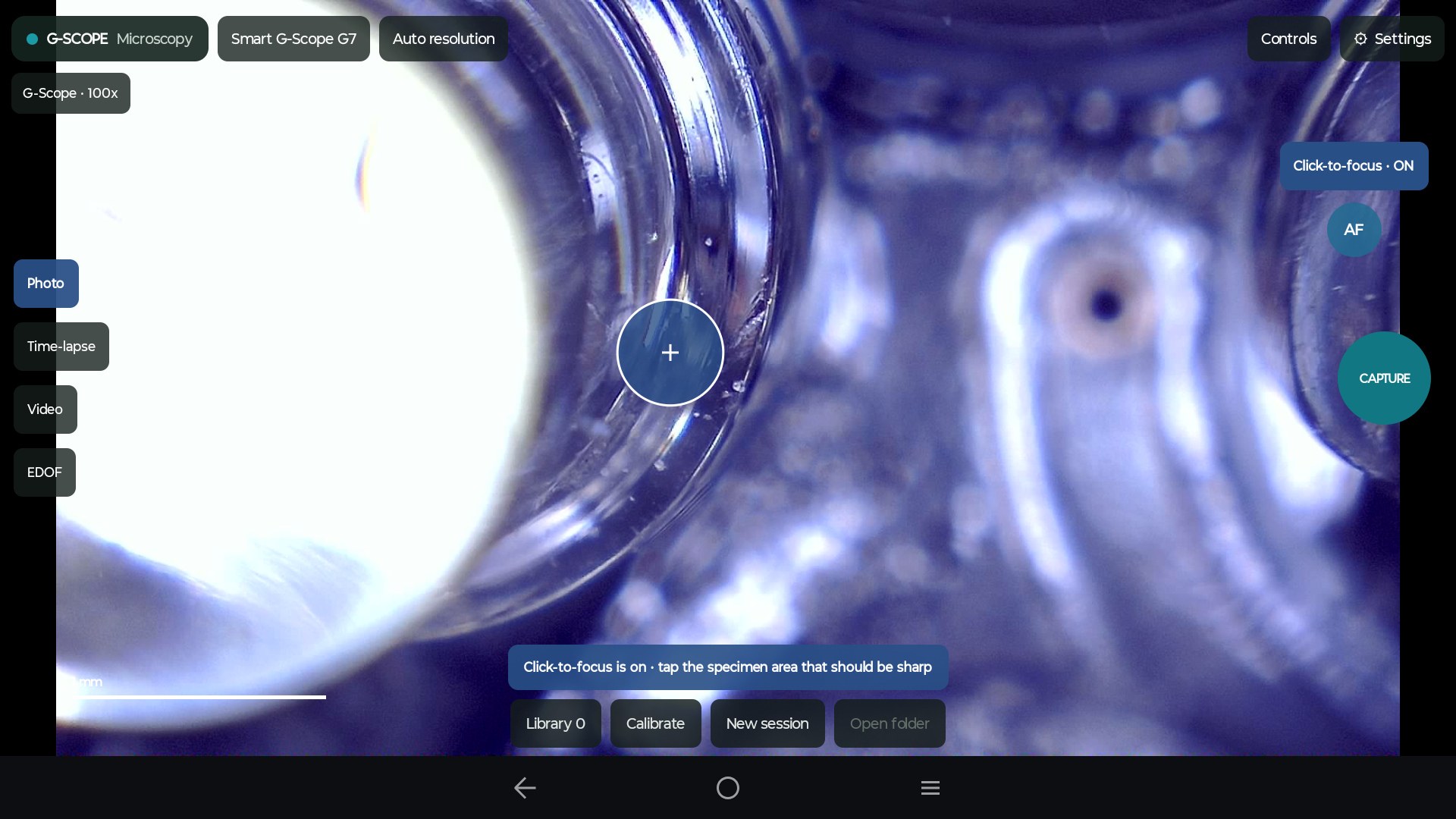
Automatic calibration, click-to-focus and calibrated EDOF capture on Smart G-Scope.
Explore all featuresLocal & private
No accounts, no cloud, no telemetry. Images, videos and reports stay on your computer.
Explore all featuresNew · Desktop Pro
Microscope panoramas, made easy
An intuitive way to capture and stitch a wider view. Enable auto-capture, move the specimen slowly, then hold still: G-Scope takes the next photo when the view is steady with enough new area and overlap. Visual guidance helps at each step. Review and stitch 2–32 photos into a panorama or mosaic, or start with images already in your folder.
- Guided auto-capture · New in 2.6.5
- Windows, macOS & Linux · Pro
- PNG or OME-TIFF with usable calibration
See G-Scope Desktop
Live view, capture, calibration and measurement in one window.
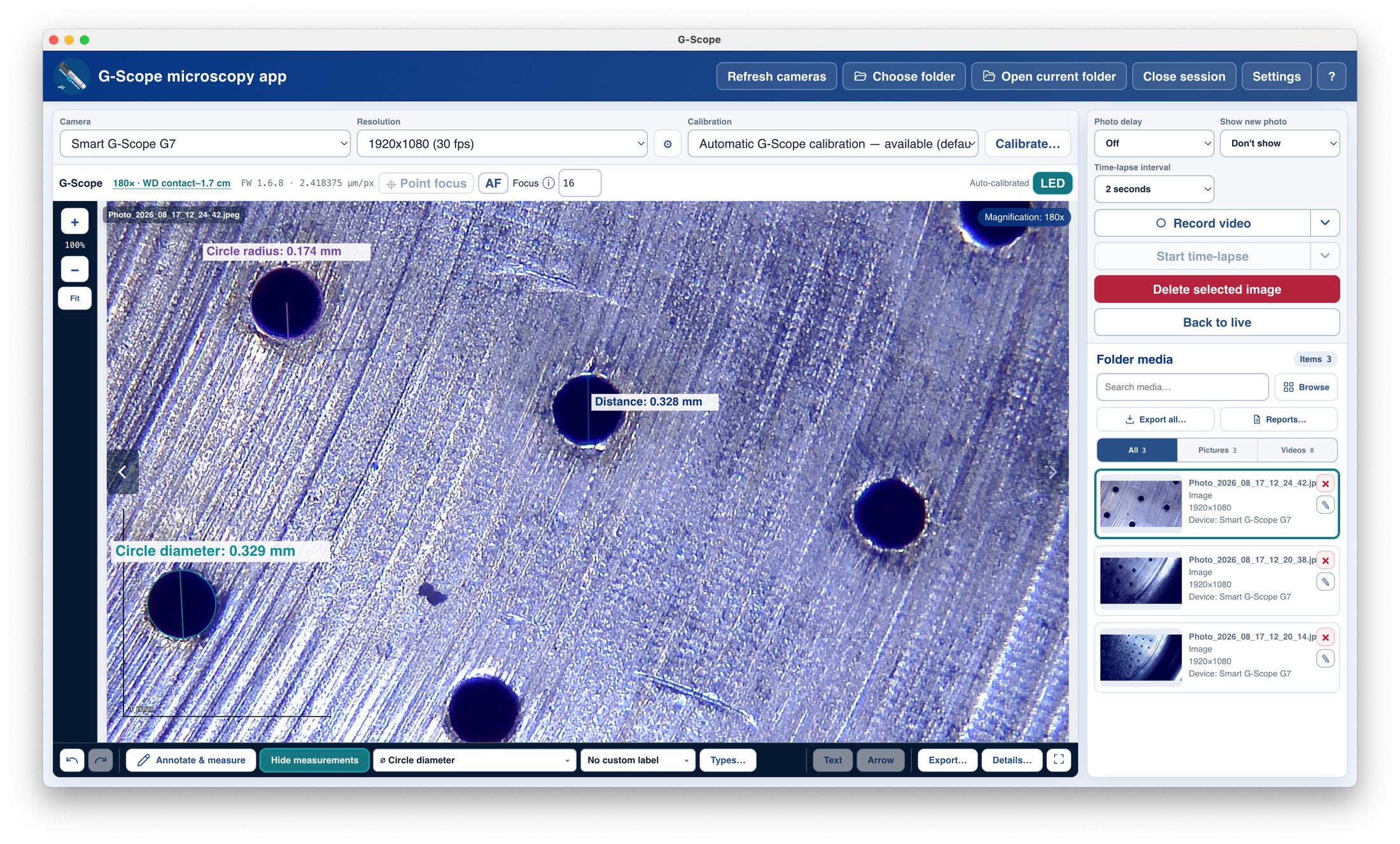
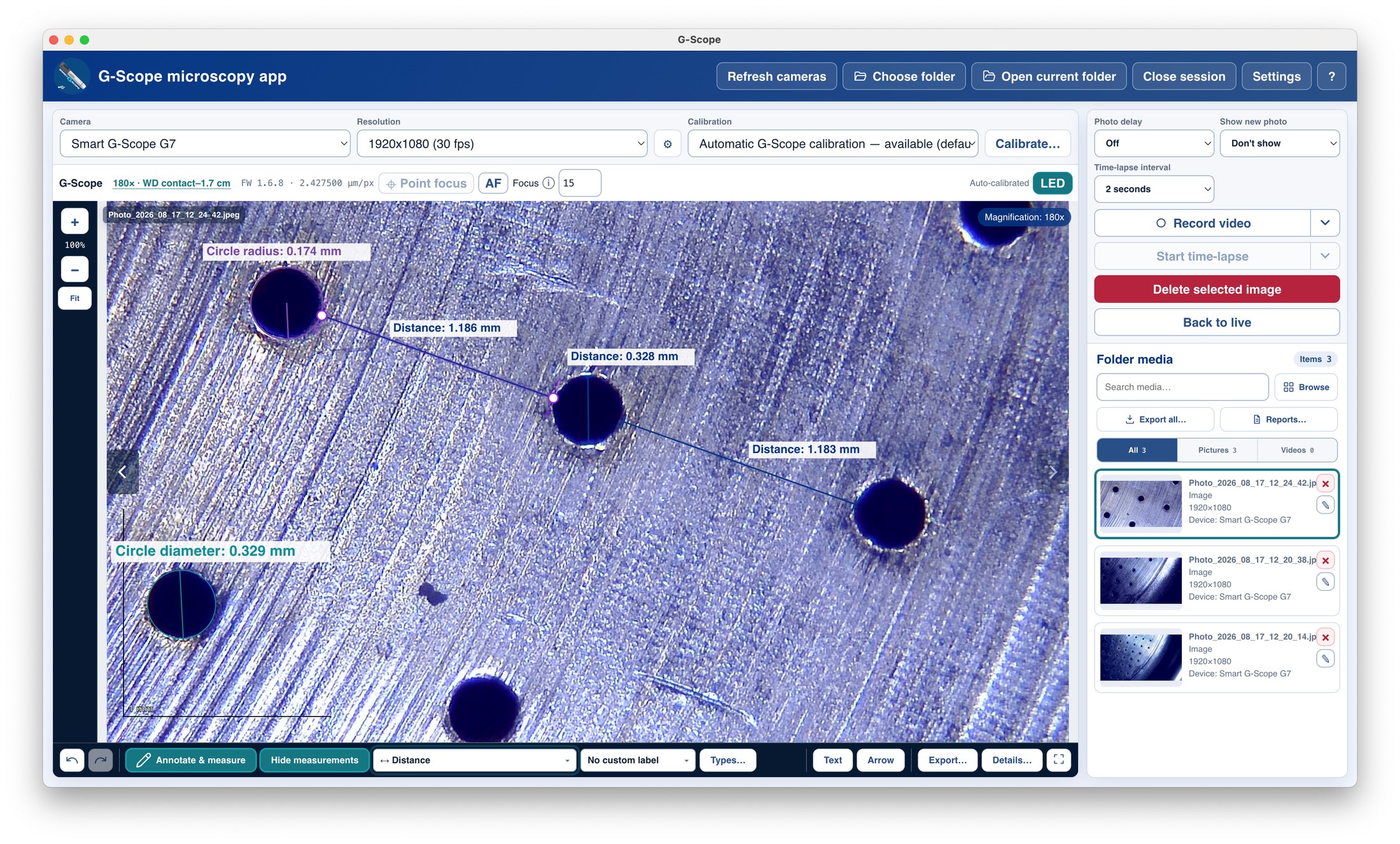
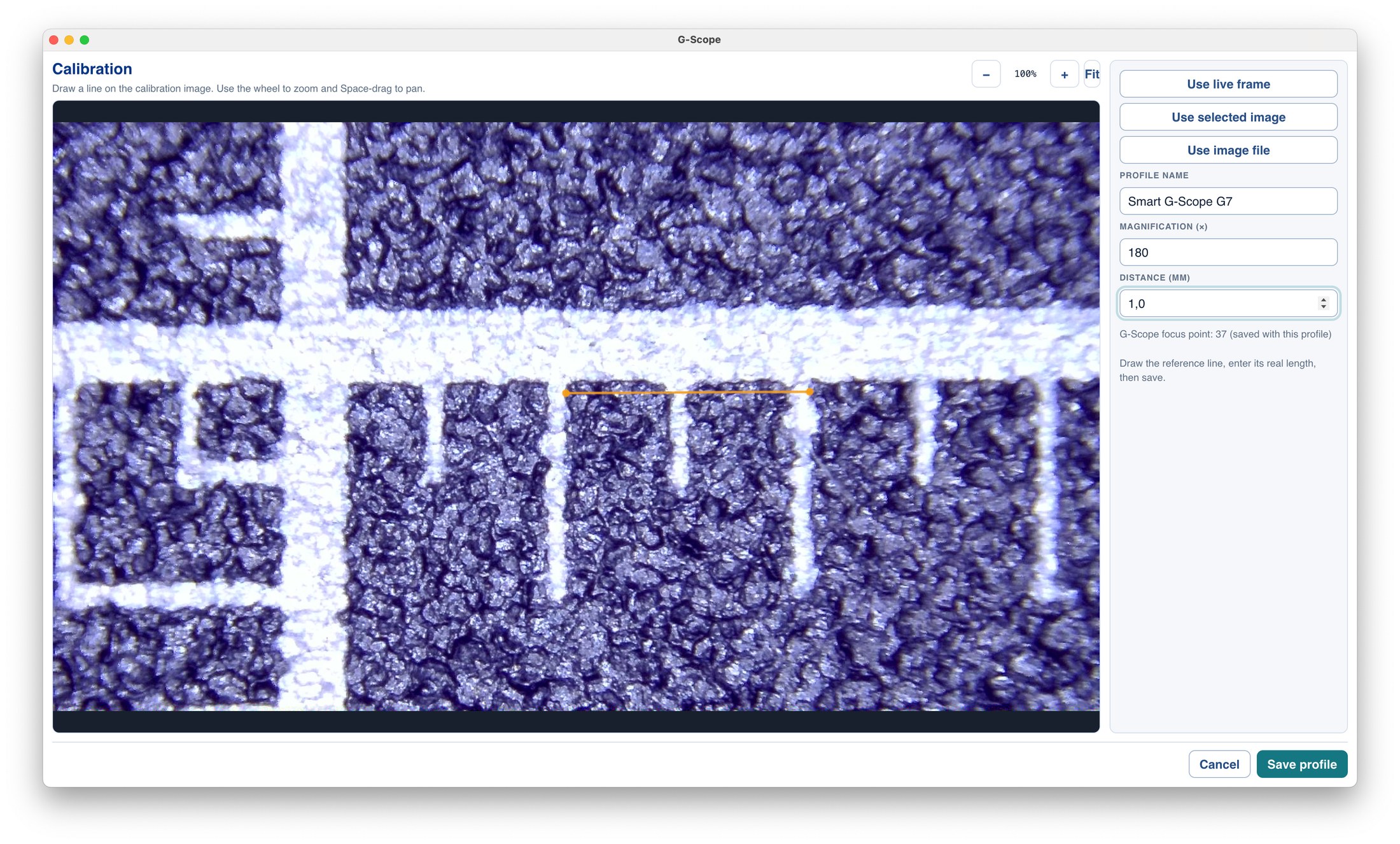
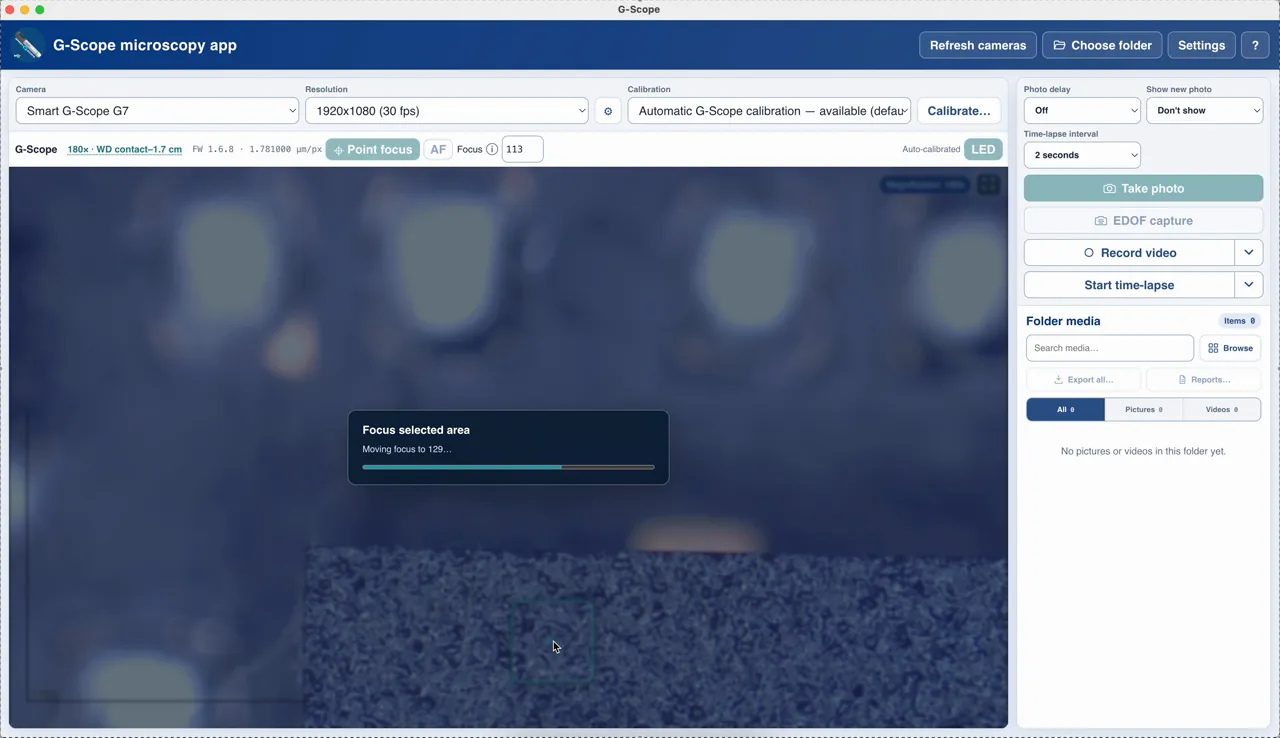
Click any image or video to open it full screen.
Why G-Scope Desktop
Much better than the software that came with your microscope
Most USB microscopes ship with a CD-era utility, a download link to a viewer, or nothing at all. G-Scope Desktop is a current, maintained application built around the workflow you actually need.
| Software included with most USB microscopes | G-Scope Desktop |
|---|---|
| ✕Bundled apps are old, unsigned, or only for Windows | Current, free releases for Windows, macOS, Linux and Android |
| ✕View-only tools with no measurement | Calibrated measurements and annotations built in |
| ✕Photos saved into a private folder you cannot find | Normal files in your chosen session folder |
| ✕No capture metadata, no reproducible records | Versioned metadata on every capture, export and report |
| ✕Fragmented: one app to view, another to measure | Capture, calibration, measurement, annotation and reports in one window |
| ✕Ads, accounts or cloud uploads in some free tools | No accounts, no cloud, no telemetry: local-only processing |
Made for our own microscope first
Outstanding support for Smart G-Scope
G-Scope Desktop is developed alongside the Smart G-Scope microscope we sell, so it is not generic software bolted onto hardware. A connected Smart G-Scope unlocks automatic calibration, click-to-focus and calibrated EDOF capture. The Pro features run free while the device is connected.
Automatic calibration
Physical scale and magnification derived from the device
Click to focus
Sharpness where you click, usually in seconds
EDOF capture
Calibrated focus stacking with OME-TIFF archive
Hardware button
Capture directly from the device
Pricing
Free core. Optional Pro when you need more.
The everyday workflow (connect, view, capture, calibrate, measure and export annotated PNG) is completely free. A one-time Pro license adds the advanced measurement tools, OME-TIFF capture, compare view, vector SVG/CSV export and PDF/PowerPoint folder reports, plus panorama stitching on desktop. The same Pro license works on desktop and Android. Smart G-Scope owners get Pro included while the device is connected.
Already have a key? Activate it in the app
See what Pro includes and how to buy →- Free: capture, video, time-lapse, calibration, ruler measurements, annotations, PNG export
- Pro: advanced measurements, object counting, OME-TIFF, compare view, SVG/CSV, PDF & PowerPoint reports, batch export
- Desktop Pro: panorama stitching with seam inspection and calibration support
- Pro included free with a connected Smart G-Scope
System requirements
For Windows, macOS and Linux. Android requires Android 7.0+; USB host / OTG support is needed only for USB cameras.
- Operating system
- Windows 10/11 (64-bit), macOS 12+, or Linux (x64)
- Processor
- Dual-core x64, 2 GHz or better
- RAM
- 4 GB minimum, 8 GB recommended
- Disk space
- About 300 MB installed
- Connection
- USB data cable, or a network connection for supported Wi-Fi cameras
- Camera
- A USB UVC camera or a supported Wi-Fi microscope or network stream
Getting started on desktop
- 1Download the installer for your operating system
- 2Install and open G-Scope Desktop
- 3Connect your USB microscope, or join your microscope's Wi-Fi network and enable Include Wi-Fi cameras
- 4Choose a session folder and press F4 to capture
Private by design
In G-Scope Desktop, images, videos, calibrations, settings, logs and exported reports stay on your computer. There are no accounts, no cloud storage, no analytics and no crash telemetry. Wi-Fi cameras communicate over your local network; an optional startup check retrieves the current release number. Captures are not uploaded.
Read the privacy policy →Frequently asked questions
Is G-Scope available for Android, and can I use my Pro license?
Yes. Install the new G-Scope app from Google Play on an Android 7.0+ phone or tablet. It supports compatible Wi-Fi and USB UVC microscopes; USB cameras need USB host / OTG support. It replaces the previous Smart G-Scope Android app. Your existing Pro key works on Android too, within the same 3-device limit.
Is G-Scope really free?
Yes. Downloading, installing and the core workflow (connect, view, capture, calibrate, measure with the ruler tools, annotate and export annotated PNG) are free with no time limits. An optional one-time Pro license adds advanced measurement, reporting and batch-export tools.
Will it work with my microscope?
If your microscope appears as a camera in your operating system, it almost certainly works: the app connects through the standard UVC camera interfaces on Windows, macOS and Linux. Check the compatibility list for tested brands and models, including Smart G-Scope, Dino-Lite and the common Amazon brands.
Do I need an account or internet connection?
No. The app works fully offline. There are no accounts and nothing is uploaded. Wi-Fi microscopes need a local network connection, without internet access. An optional startup check retrieves the latest version.
Does it replace the software that came with my microscope?
In almost all cases, yes, and with a much better workflow. The app can also run alongside other software if you need the vendor tools for a specific device feature.
Is there a Linux version?
Yes. Windows, macOS and Linux builds provide the complete capture workflow, including MP4 recording.
Can I measure things with it?
Yes. After a one-time calibration against a known distance, you get real-unit measurements: distances, angles, circle diameters and radii for free, plus areas, counts and multi-point tools with Pro.
Finally, good software for your USB or Wi-Fi microscope
Connect a USB UVC or supported Wi-Fi microscope and get a real workflow: live view, capture, calibration, measurements, annotations and reports, with free core features on Windows, macOS, Linux and Android.
Download free